Saturday, December 30, 2006
Major kudos to Singpolyma for putting in some significant effort at the Blogger Hacks Wiki, updating the navigation and sorting the hacks by platform. Now you can see the hacks as follows:
The goal of Stephen's restructuring of the Wiki is to keep the content relevant, as well as providing a dedicated hub for all of the great new hacks that have been generated for the new Blogger platform. This is great work!
So over to you.... If you've got a great hack (whether for Beta or Classic), and you want to ensure maximum exposure for your work, as well as placing your hack up against similar ones to allow users to make comparisons, make sure you're adding your hacks to the wiki.If you're working on your template (whether in Beta or Classic) and you want some extra features for your blog, borrow a hack or two from the wiki and test them out. As Stephen notes, it would be particularly useful to the Wiki community if you'd road-test hacks from the (currently rather large) platform unknown collection so that they can be cataloged appropriately according to platform.
Check out Stephen's wiki update to get the latest on the request hacks process and page.
Filed in: blogger blogger-hacks blogtech wiki beta
Thursday, December 21, 2006
K-Rally from Infinite Dreams

3D top-down racer where your car is equipped with mines, rockets and has several kinds of useful upgrades available. Leave a trail of destruction behind as you blast ahead of the competition. Make your opponents spin and crash as you bombard them with a barrage of weapons! Take them out of the race with rockets and mines. Win races and prize money so you can progress to the next level of competition for more fire action.


Unique features:
* 10 upgradable cars
* 14 ingame characters
* weapons (mines, rockets)
* shop, garage, armory, bets in career mode
* random track generator
* downloadable content (new gfx, tracks,cars).
Sunday, December 17, 2006
This version is outdated. A newer (and better) version is present here.
What if you can view the posts having a particular label without leaving the current page? What if you can do your bit of reading and other stuff and keep clicking away without wasting your time while the labels are loaded in the background and displayed when they are ready? (Okay, enough of that. I see some people rolling their eyes now. :D )
AJAX labels does just the same... It opens a block of text just above all the posts, showing snippets of posts having the label you selected. Click on any of the categories on the right sidebar to see the hack in action.
INTRODUCTION
I had this hack in my personal blog about a month back. It had some really rigorous logic to parse the RSS feed, and hence was not very fast. Now that Google has implemented JSON feeds in their GData structure, my job becomes easier. I also decided to open this hack for the public.
My earlier implementation was in AJAX, i.e. I had used the XMLHttpRequest function for asynchronous procurement of the RSS data and XML DOM parsing to display it. Needless to say, JSON cuts down most of the logic, because of its inherent nature. (I could have used Singpolyma's excellent Outline Converter application, but it would simply have added to the overhead. Also, I don't like NING because they take the website offline too frequently. :p)
If you are interested, here is the link to my original script to parse the XML feed.
This looks strikingly similar to Aditya's ABC Index, but the similarity ends there. The ABC Index was for old Blogger which didn't have the category support or JSON feeds. So he had to make use of del.icio.us categories. Also, the implementation did not use the XMLHttpRequest, but was nevertheless asynchronously loaded. But the XMLHttpRequest gives the best asynchronous experience.
The idea of showing the categories in a block was originally Aditya's, so I should give him due credit.
So much for the intro babble. Lets get on with the hack, shall we?
THE HACK
1. First things first. You should get yourself a copy of the prototype JS framework for this hack to work. Host it in a place of your convenience, maybe your Google Pages, since you already have a Google account. Otherwise, you can get one from here.
<script type="text/javascript" src="http://bloggerhacked.googlepages.com/prototype.js" />
Add this (Change the link if you opt to host the file) inside the
<head> section of your template. I would recommend pasting it just above the closing </head> tag.2. Now the heart of the hack.
Go to http://bloggerhacked.googlepages.com/ajaxlabelsscript
and copy the javascript and paste it just below the code you just added in step 1.
Optional Step: You can modify the CSS part of the javascript you just copied to suit the theme of your blog. I will give some basic tips to modify them here.
#indicator is the loading indicator. To change the background color, modify the hex value of background-color inside. To change the border color, change the hex value of border inside the #indicator.#search-result is the box in which the category results are displayed..search-result-meta is the RSS feed for the label on the top..search-title is the post title of the category results..search-cat is the list of other categories of each post..search-close is the "Click to close" text at the bottom.3. Locate the following code in your template:
<div class='tags'> Labels:
<ul>
<b:loop values='data:post.labels' var='label'>
<li><a expr:href='data:label.url' rel='tag'><data:label.name/></a></li>
</b:loop>
</ul>
</div>
Replace the red part of the code with this:
<a expr:href='"javascript:getCat(\"" + data:label.name + "\")"' rel='tag'>4. Go to Page Layout screen. Add a HTML/Javascript widget just above the Blog Posts widget.
Give the title as blank and following code in body.
<div id="indicator" style="display: none;">
<img alt="Indicator" src="http://bloggerhacked.googlepages.com/indicator.gif" /> Loading...
</div>
<div id='search-result' style='display:none'></div>
5. Save your template and you are done.
ADDITIONAL STEPS IF YOU HAVE LABELS WIDGET IN YOUR SIDEBAR
1. Look for the code of your labels widget. If you don't know how, search for the following:
<b:loop values='data:labels' var='label'>
<li>
<b:if cond='data:blog.url == data:label.url'>
<data:label.name/>
<b:else/>
<a expr:href='data:label.url' rel='tag'><data:label.name/></a>
</b:if>
(<data:label.count/>)
</li>
</b:loop>
Change the red portion of code with this:
<a expr:href='"javascript:getCat(\"" + data:label.name + "\")"' rel='tag'>USAGE
Simply click on the label at the sidebar or at the bottom of a post and see the results coming up.
LIMITATIONS AND ROADMAP
I have limited the number of results returned to 5, because it will take up too much of page space otherwise. You can change the value if you change the max-results variable in the query inside the javascript.
I am planning to make a web-based script creator for this, with a truckload of customisations.
Also in the papers is support for navigation of the query results within the result block, a la the previous-posts-next-posts navigation.
Update: Minor correction based on comment by Tsung-kai Chen. Changes in blue. Sorry for the error.
Update 2: Another correction in the main script in http://bloggerhacked.googlepages.com/ajaxlabelsscript.
I won't make silly mistakes anymore. Promise! :D
Saturday, December 16, 2006
There are subtle changes in the script so that it now supports more than 31 quotes. The limit is now technically 365, which I think is more than enough. Please edit the widget and repeat Step 3 below. For those who are interested, the changed portions are in blue.
If you have visited my personal blog, (Cheap publicity here, I know ;) ) you might have noticed a "Quick Quote Quill's Quote of the day". Do I change the quote every day? No. It is automatic. It is one of my earliest javascript codes and not specific to blogger or even for blogs. However, I made it into a widget so you can use it in Beta Blogger.
This is more than a quote fetcher. You can add whatever quotes you want. (Even quoted by you!) This code cycles a set of quotes each day, i.e., it will display a new quote each day. When it reaches the last quote in your list, it starts from the first again. And all these quotes are added by you.
You can make it a widget in your Blogger Beta blog. How? Read along:
1. First thing you have to do is create a HTML/Javascript element from your Page Layout view. Create it anywhere you like.
You probably want it just below the blog title/description block, but will see that you are not able to add or drag elements to the area just below the blog title block.
To overcome that limitation, go to Edit Template and look for this code in there.
<div id="header-wrapper">
<b:section class="header" id="header" showaddelement="no">
<b:widget id="Header1" locked="false" title="xxxxxx(Header)" type="Header">
</b:widget>
</b:section>
</div>
The part of interest is the red-colored one - showaddelement.
The name suggests it all. Make it yes and save. You will find the "Add element" region in your layout next time.
2. Give a name you like to be the title of your quote of the day.
3. Paste the following code inside the content area of the widget:
<script type="text/javascript">
var today= new Date();
var first = new Date(today.getFullYear(), 0, 1);
var day = Math.round(((today - first) / 86400000), 0);
var numquotes = 3;
quotes = new Array(numquotes+1);
authors = new Array(numquotes+1);
quotes[1] = "Quote_1";
quotes[2] = "Quote_2";
quotes[3] = "Quote_3";
authors[1] = "Author_1";
authors[2] = "Author_2";
authors[3] = "Author_3";
var ran = (day % numquotes) + 1;
document.write(quotes[ran] + '<p style="text-align: right"><i>' + authors[ran] + '</i></p>');
</script>
Note the red colored regions. This is where you make your customisations.
You can modify the text (Quote_1, Author_1 etc.) to the quotes of your choice.
You can leave the Author text blank, i.e. just the
"".(Technically, the quote text too, but that doesn't make sense, does it?)
4. You can even add new quotes.
I have given an example with 3 quotes. You can give as many quotes as you want.
For that, add a new line just below the last quote line (
quotes[3] = "Quote_3"; in this case).The line should read like
quotes[4] = "YOUR_QUOTE";(You know what to fill in instead of YOUR_QUOTE)
Similarly, add a new authors line.
authors[4] = "YOUR_AUTHOR";Also change
numquotes to 4.Remember, you can add more quotes in a similar fashion.
Just make sure that the
numquotes=N;
quotes[N]="";authors[N]="";lines tally.
5. Save the widget. Save the template.
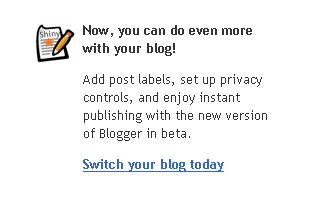
Now that team blogs are able to make the transition to Beta, my Google interface has a couple of new and highly suggestive arm-twists to encourage the move... Are these new, or just new to me?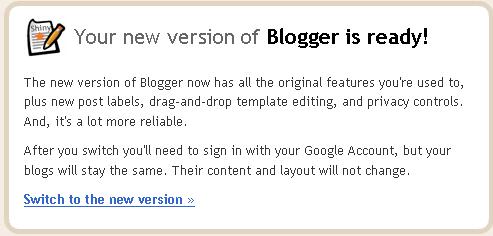
Filed in: blogger beta
Hello all,
So I finally decided to open my technical blog after about 6 months of creating it. I don't know what made me do that. I had been hacking my personal blog for a long time, but all the hacks remained in my blog only. After months of prowling in Blogger Help Group as Janus (Janus, because I'm a man with two faces. We all are!), one fine day I got a inner call to publish my hacks. :D
I have to admit that it's really tough to compile a step by step procedure for others to implement a hack, particularly when you have to keep in mind that most of them won't understand the code and it's a kind of spoon feeding.
But now I'm into the waters. And you can expect some cool hacks for your blog.
Thursday, December 14, 2006
Volker Lehmann has developed a very cool feed hub for Blogger hacks that pulls feeds from 9 of the usual suspects & displays the content all on a single page. Click the magnifying glass / plus sign icon to expand the post you're interested in. You can see what's hot in the hackosphere with one click. All v. non-plagiaristic too, since Volker asked permission, links to both source blog & source feed in each box's header, and doesn't carry links over into his reproduced posts. A fine resource, w/ space for expansion & the addition of other sources.
Oh, and another great incentive to write descriptive, explanatory post titles!
Filed in: blogger beta feeds blogger-hacks
Monday, December 11, 2006
Milaro Adventures Of Sherlock Holmes The Silver Earring J2me Games
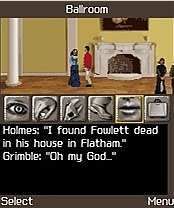
The young lady Miss Lavinia Bromsby has just returned to England a few days ago and her father the rich construction tycoon Mr. Melvin Bromsby invited many people to his country estate Sherringford Hall.
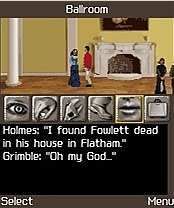
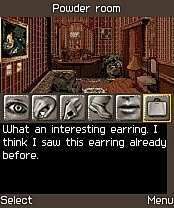
Rumors say that during opening address the host is to pronounce something very important concerning the future of his company. He barely started welcoming his guests in the ballroom as Sir Melvyn Bromsby suddenly falls on the floor. A red spot is visible on his tuxedo right on his heart. As the crowd gathers around the dead tycoon Sherlock Holmes and Dr. Watson start their investigations…
Watson, could you hand me the mobile?
Combatible Devices J2me :
LG U8110 U8120 U8130 U8138 U8150 U8290 U8330 U8360 U8380 U880
Motorola E398 E550 E770v MPx200 MPx220 PEBL RAZR V3 ROKR E1 V360 V360v V500 V525 V545 V547 V550 V600 V620 V635 V80 V975 V980 V300
Panasonic X700
Samsung D410 D415 D500 E530 E720 E760 Z130 Z140 Z500 ZM60
Siemens SX1
Sony Ericsson K600i K608i K700i K750i V600i V800 W550i W600 W800i W810i Z1010 Z800i D750i
Nokia 3230 3250 3660 6260 6600 6630 6670 6680 6681 7610 7650 N70 N91
Tuesday, December 5, 2006
Tom Clancy's Rainbow Six Vegas
Developer : Gameloft
SAVE VEGAS FROM AN ESCALATING TERRORIST THREAT!

While trying to capture international terrorist Irena Morales, Team Rainbow has uncovered a plot to attack Las Vegas and the existence of a reusable microwave-pulse weapon capable of killing millions of people. The Rainbow operatives will need to secure casino floors, take to the chaotic streets of Sin City, and ultimately defeat the terrorist threat at Hoover Dam.

Immerse yourself in an enthralling brand new plot in the tempting, exciting, and bright Sin City like no other tactical/action game has ever offered you.
Now the fate of Las Vegas is in your hands. Will you take up the challenge?
Monday, November 27, 2006
Gameloft: Special Crime Unit J2me Java Games

The first scientific investigation game for mobile phones.
Use a whole arsenal of scientific investigation tools: UV lamp, fingerprint collector, and much more.
Realistic graphics perfectly recreate the atmosphere of the top investigation series on TV.
Inspect the crime scene, analyze the evidence in the lab, and interrogate the suspects at the station.
Monday, November 13, 2006
EA Sports Need For Speed Carbon Java Game
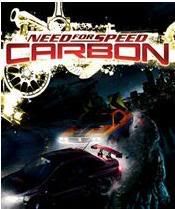
What starts in the city is settled in the canyons as Need for Speed Carbon immerses you into the world’s most dangerous and adrenaline-filled form of street racing. You and your crew must race in an all-out war for the city, risking everything to take over your rivals’ neighborhoods one block at a time. As the police turn up the heat, the battle ultimately shifts to Carbon Canyon, where territories and reputations can be lost on every perilous curve.
Need for Speed Carbon delivers the next generation of customization giving you the power to design and tweak your crew’s cars in every way using the ground-breaking new Autosculpt™ technology. Represent your car class, your crew, and your turf in Need for Speed Carbon, the next revolution in java racing games.

Need for Speed Carbon Features:
* The City Is Yours for the Taking: Race for control of the city block-by-block by taking down rival crews on their turf, then defeat their crew leaders in life-or-death races in Carbon Canyon.
* Customize Your Dream Car: The revolutionary new Autosculpt™ car customization tool gives you the power to design and morph your car in every way imaginable.
* Represent a Class: Affiliate with the Tuner, American Muscle, or Exotic car classes and prove once and for all who makes the best set of wheels. A new physics model makes each car handle and drive differently.
* Build Your Crew: Strategically choose your crew members and use their skills on the road and in your garage to help you win races and customize your cars. Designate any member of your crew as a wingman and trigger his special skill to knock out your rivals.
* Over 50 Real-World Licensed Cars [confirm # is accurate]: Every car is tuneable so you can customize their look and performance to suit your crew.
Sunday, November 12, 2006
Vivek writes to point out his latest beta how-to... Conditional code for your widgets. Using this info, you can tell a widget to only show up on the main, post, archive or label page, and thusly customise your beta blog. All good stuff. While we're zipping through a new beta hack or two, check out Deniz's repackaging of the good ole' referrer script for beta blogs. If you're looking for a recent referrer list, this is the way to go.
Filed in: blogger blogger-hacks blogtech beta
Wednesday, November 8, 2006
Vampent vNes v1.2 J2ME
What is vNes?

vNes is a NES emulator for mobiles. It lets you play Nintendo 8-bits games on your mobile. You can put games from thousands of roms in your pocket, play them anytime and anywhere, with the memories and joys of old time.
Saturday, November 4, 2006
When you know the Post ID#.... Richard at Philosophy, Etc points out that the comments page for a draft post can be accessed by anyone who knows the post ID. This presents an interesting (though not 100% secure) option for using the non-beta version of Blogger as a private discussion board, by circulating the post ID / URL of the comment page to members of the discussion.
Interesting to note that the comments feature gets attached to the post before publication, & that the "full" comments page appears when you do this, even if the blog you're (not) publishing to has pop-up comments enabled.
All good stuff....
Filed in: blogger drafts comments
Friday, November 3, 2006
There's some good stuff happening over at PurpleMoggy's Blog. Check out the Blogger Beta Feeds post for a full catalog of available feed links, & spend some time in the notes section where there are all sorts of great tips & tricks for customising your feeds in beta.
In the PurpleMoggy sidebar you'll see that the labels widget has a feed icon next to each label, leveraging and advertising the label-feed subscription option to your readers in a clear and obvious way. PurpleMoggy has a how-to for that as well. Very cool! Let the label subscriptions increase and multiply...
(well, er... increase, at least...)
Filed in: blogger, beta, feeds, labels
Thursday, November 2, 2006
Blogger Buzz reports that the beta is done cookin' and that all systems are getting towards go on wider migration / rollout. Note that (for now) this says that migration will be possible for all users, but not compulsory. I guess the whole "team blog" deal must be mostly fixed now too, then?
The addition of FTP to the beta means that account migration will soon (like Really Really Soon) be available to all Blogger users -- it's currently just enabled for blogspot users.Let's see what's next! (Really really soon would tend to suggest hours to me in terms of a timescale....)
Filed in: blogger beta
Monday, October 30, 2006
My previous post was recently clipped to a new service called ClipClip. As Darren wrote last December in regard to Clipmarks, I'm curious to know when a clip is more than a bookmark, especially since ClipClip reproduces the post template n' all, includes existing Freshblog comments, and offers the opportunity for users to add comments that will sit on the complete reproduced post, not on the original.
So... Clipping. What's up with that? Here's some ideas for discussion pro & con:
- What if all clips sat in a private user's account, & were not publicly visible?
- What if the ClipClip default "whole page is bookmarked when no text is selected" was actually "nothing is bookmarked when no text is selected?
- How about an intro phrase for the link at the top of the page. "This content clipped from...." or similar.
- What about clip technology that doesn't reproduce the template? Is that more acceptable? Clipmarks appears (at least based on my quick refresher visit) to work that way.
- Is there a Search-Engine penalty here, since this is 100% duplicate content at a different URL?
- Where's the benefit of a "clip" over a web-based bookmark w/ limited notes, such as those at Del.icio.us?
- What if there was a way (either on the source page or the clipping service) to limit the amount of a post that could be clipped, so that it was truly an extract, & not the whole thing?
I'm still making up my mind (insert Whitman quote here.... the one about Multitudes...) but I think my ultimate issue here is the risk / possibility of a "rival focal point" developing for the conversation. If there's action around one of my posts / ideas, I'd like it to either be on the post, or link directly back to the post, rather than coalescing at the clip. See section 3 "Parallel Microspheres" of my Community Participation post for an earlier and broader statement of the same psychosis. Ok, so I have issues....
Hit the comments / trackbacks (or the comments on the clip?) to set me straight!
Filed in: blogging blogosphere microspheres clipmarks feeds readers bookmarking clipclip
Sunday, October 22, 2006
There's an interesting innovation in the search field that is an effort to leverage social participation for search result relevance. URL.com is a search engine with a difference. The goal of the service is to harness the social power of the search community in order to increase the relevance and usefulness of results.
To see it in action, let's try my default comedy test search for chickens. You'll notice that URL.com returns a consolidated set of results derived from the top 10 results on Google, Yahoo and MSN. Interesting so far, esp. w/ the ranking for each engine displayed there on the left, and the small icons at the top of the ranking columns that let you jump direct to those results, but nothing that blows your socks off....
So what's new? Well, let's sign up and see. If you sign in before you search, then click a result, the result loads in a frame, which gives you the chance to rank your result.
The frame makes sure that you visit the page that you're evaluating, rather than expressing an opinion on the list of results page. In a sense, this relies on the same sort of social contract as a wiki. "First do no harm, respect the common good" etc. Of course, search engines aren't always the premier forum for this kind of ethical web-citizenship, & I'd be interested to see what sort of tools are employed to prevent an American-Idol style "Chickens Rock" campaign from taking over the universe. (Bwahahahahahah!) I'm growing my Bo Bice hair as we speak....
Anyhow... (sanity returns...) there's a Techie About page at URL.com that explains the weights and rankings that are assigned to results. There's also an FAQ, containing the nugget that votes are superceded... If there are multiple votes from a single account, then only the most recent will count. Thus, the universe would have to be conquered by committee!
Privacy is also addressed at the FAQ. URL.com state that they only publicise the links that you vote or comment on... so I guess your personal search history is no more or less problematic than with any other search engine. The long & short of it, I think, is that searches shouldn't be regarded as private, whichever engine you use.
Here's my thought / wish for the future. The evaluation of the page doesn't seem to get at accuracy or "aboutness" as clearly as you might wish for. Your vote for "good" & "not so good" results affects the way that results from that engine are interfiled with results from the other two. It does not unequivocally state "This page was / was not about Chickens..."
Now I realise that we'd be talking 8,000,000 servers to do it this way, and that other engines approximate an "aboutness" voting system by boosting the juice of pages that are frequently clicked results for a given search, (the implication being that regular traffic = aboutness) but if you're asking for my vote, I'd like to be able to say "This page wasn't about Chickens" and have it affect the page in relation to the search, rather than the bulk of engine results in relation to the other engines.
I'd eventually like the judgement to be about the page and not about the engine.
Some challenging new issues, then, but an interesting combination of two different models / technologies, and one worth keeping an eye on.
Filed in: webtech search url.com
Wednesday, October 18, 2006
A whole bunch of new hack requests were posted to the wiki in the last couple of days. If you've got some time to spare this weekend, and you're wearing your hacker hat (the one with the blue flashing light & space for a can of soda), take a look & see what you make of the requests:
- Merge Blogs: Basically, I have 6 personal blogs on my Blogger dashboard. That's because I wanted categorization before Blogger Beta introduced labels. For a number of reasons, I want to merge my blogs into one. If there is a way to import all the posts from one blog into another, that would be an ideal solution. Please advise or create a hack to do this, thanks in advance. My blog is here at www.Shan.ca.tf
- Blogsend: No Linkback to Main Blog: I have a Blogger Blog that I've been updating since the Dawn of time, but my friends are all on LiveJournal. Using the Blogsend function, I'm able to update the LiveJournal without actually ever stepping foot on LJ, BUT the issue becomes that BlogSend automatically adds a footer with a linkback to the main Blog. I need to figure out a way to circumvent that, for privacy reasons on my main blog and to protect my guestbloggers. Any ideas? Thanks!!
- Pick up labels in adding to delicious (beta): I know there is a known hack to add capability to link to delicious from beta blogger posts. But right now it does not pick up labels of the post and create automatic tags for delicious bookmark. I know it should be not so difficult to include the tags for the delicious link. I am quite used to the current Greasemonkey method to tag my non-beta blog posts and am itching to move to the new beta, but this is one big roadblock for me. Any takers? http://usctrojan98.blogspot.com
- My feeds for Autodetection (beta): Is it possible to add my feedburner feed in the beta blog so that autodetection is done on the feedburner feed rather than the default Atom feed or even the beta blogger RSS feed? http://usctrojan98.blogspot.com
- Tag Hack for Qumana: I want to use Qumana for my post editing for Blogger. It works much better with Blogger than Performancing. But I want to change the tagging option from Technocratii to RawSugar (as exists with the great BlogThis/Tag hack.) My guess it's a simple business of changing the url somewhere in the Qunama script. Where? How?
Filed in: blogging blogger-hacks blogtech webtech wiki
Tuesday, October 17, 2006
A whole raft of new hacks for Blogger Beta since the last time we cataloged your available options. Most of these are courtesy of your usual suspects: Hoctro, Ramani, Hans, Vivek, Singpolyma, but there's some other folks working on this good stuff too.... Here's the latest:
- First, Hoctro notes the new Beta feature that allows the mass-application of a single label to a number of posts by selecting the checkbox on a list (just like when you delete your e-mail!) Good call, Blogger! Update: See screenshots etc at Phydeaux3.
- Since we're talking labels, check out Ramani's mighty-fine multi-mode choose-your-own-format label menu widget for your beta sidebar. Would you like your labels in a list? A drop-down? A cloud? (Mmmmm... Clouds!) How about all three, with the option for the reader to switch between them? 'Tis done....
- As I noted earlier in the week, Trackback for Blogger Beta is now available, using custom Haloscan code courtesy of Logical Philosopher, modified by Pete from Utter Muttering. If you have Haloscan comments, you'll need 2 sets of the code... 1 for the comments and a second (Pete-style) for the Trackbacks.
- Singpolyma has developed peek-a-boo comment code for beta, so that you can have inline comments that pop out beneath the body of your post. Apparently he's now investigating the possibilities of an inline comment form that will peek-a-boo too!
- Another goodie from Singpolyma... A feed-links widget for your sidebar, to get feed links up and away from your page footer, where they may not be having a lot of fun!
- Mohammed at Daily Routines explains how to add a third column to your Blogger Beta template, and suggests a strategy for adding HTML / Javascript elements to your template that are true page footers.
- Vivek Sanghi presents a workaround that will display "subscribe to comments" links on each post without displaying the default post-feed options.... Useful if you're on Feedburner or similar.
- Since Feedburner Feedflare is now post-footer legal, Loup d'Argent points to Feedburner's new Beta-friendly Feedflare insert code on the Feedburner forums. Flare your Beta Blog's Footer forthwith!
- More good stuff from Ramani. He's upgraded a couple of pre-beta hacks for the new system. You can now highlight your comments on your own blog, as well as setting up your comments section with e-mail icons so that you can e-mail a previous commenter to notify them of your comment / response. Very cool, & an additional tool to use alongside the beta comment feeds.
- Hans at Beautiful Beta has the scoop on creating a horizontal navigation menu between your header and your content on Blogger Beta. A useful & welcome addition.
- Hans also points to Gabriel Lau's Random Rotating Banner Hack for Beta. Change out your Beta header images automagically and in a random-type way! Grand.
- In a comment on Amit's Digital Inspiration, Vin from Blog Widgetry explains how to add a second element field to the main body section of your beta blog (where the posts go) so that (for instance) your adsense stays where you put it instead of scrolling down with the posts.
- While we're talking Adsense, Improbulus points out that the addition of Adsense to Beta blogs is now an officially sanctioned / supported activity, with official Blogger help etc, & that there might be an overload in the circuits due to the additional demand for accounts.
- Finally (for now)... If you still want to lose the Navbar from your beta blog, in spite of the new cool functions and the interface to your blogger acct when you're signed in, Epirater has edited the Blogger Templates nav-bar hack to make it work in Beta.
For more, see our first Blogger Beta Hacks Round-Up, & watch for volume 3 in the series...
Filed in: blogger blogger-hacks blogtech beta
Monday, October 16, 2006
Philipp at Google Blogoscoped points out a nifty Greasemonkey script that will integrate Google Reader capabilities into GMail, which comes to us courtesy of Mihai Parprita of Persistent.info.
The script will add star, share, e-mail, mark as read, & tag management tabs to feed-sourced entries that appear in the message list in G-Mail, & make it that much easier to view your e-mail feed subs in a full-fledged RSS reader, as we've recently discussed in relation to R-Mail. A great way to consolidate two major streams of incoming information, & perhaps to save a bit of time? Philipp and Garett at ZD.Net's Googling Google speculate as to the eventual integration of the two products. Sounds good to me!
Filed in: feeds readers blogtech google gmail
Thursday, October 12, 2006
Randy notes that R-Mail has passed 27,000 users and 68,000 subscriptions. Many congrats, Randy! A great service, which (among other, more significant milestones) is clearly impacting the distribution of Freshblog's content. Warning: Stats Ahead.
As you may recall, I was surprised last August to see that 37% of our 929 subscribers accessed Freshblog via R-Mail. Well, the trend continues. 519 of Freshblog's 1180 subscribers, or 44% now use R-Mail. We're 8th on the R-Mail top-blogs list. This is our biggest single subscriber chunk, and we've piled on 172 new R-Mail readers since Aug. More than twice as many readers see Freshblog posts through R-Mail than through Bloglines, & we're 46% R-Mail - 54% All other Readers at this point, which is much heavier on the e-mail end of things than I would, off the top of my head, have thought. So let's revisit my questions from Aug, & provide an opportunity for some delurking on the part of our e-mail subscribers. We want to hear from you! If you access Freshblog through R-Mail....
- How many other blogs do you read that way?
- What prompted your choice to read blogs through e-mail?
- What e-mail program do you use, & have you crafted filters and such to help to sort the incoming content?
- Was the prominence of the R-Mail widget here a factor in your decision?
- Are you "new" to RSS?
- Do you have a Feedreader account as well as some e-mail subscriptions?
Filed in: feeds readers blogtech
