Sunday, December 30, 2007
Even better than Hello World, the hackers at 24c3 have figured out how to run their own code on the Wii. By using what they call a 'tweaser' method, they were able to launch the Wii in Gamecube mode then trick the chips into dumping their contents. After rummaging through the dumps they were able to pull out the encryption keys and used a hole in Lego Star Wars cd to boot their own code. The app they demo in the video shows output coming from the Wii-Mote, proving that it is running in Wii mode and not in Gamecube mode.Previously all homebrew was done in GC mode where memory and hardware was limited. Now with access to the Wii mode, homebrew developers can begin to write apps that take advantage of all the hardware, including wiimote, Wifi, Bluetooth, etc.
There are no additional details on when the information will be released so others may write their own apps from the wii. The next step is to get libraries built or obtain an sdk so more apps can begin to get ported to the Wii. It sounds like lots of work still needs to be done before we will see any useful applications come from the Wii homebrew scene, but 2008 is going to be a good year for wii hackers! Stay tuned@!
Read more:
viaWiiNintendo.net
Interview with the hacker who cracked the Wii
--
UPDATE:
Additional Information from xiaNaix @ PSX-Scene:
* They got the wii keys, and we could use them without hacking our wii again.
* This hack requires a drive modchip to execute the code.
* There is not any tool to sign the code, but it’s coming soon.
* They are working to access to the SD thought EXI.
* There is not any stack homebrew for bluetooth
* A linux port for Wii will be released easily.
Johnny Chung Lee demo's his Head Tracking Virtual Reality system using the Wiimote.
Watch the video:
Sunday, December 23, 2007
I came across this on Ajaxian. It looks like opera has opened up the Wii Internet Channel to developers. You can now use Javascript to poll data from all 4 wiimotes.
The Wii Remote data is accessed through the opera.wiiremote object. This object offers a single method opera.wiiremote.update(n) which is used to obtain the status of an individual Wii Remote. The method expects a single parameter; the Wii Remote number. The number is zero-based, so it starts at 0 for the first remote, and ends at 3 for the fourth remote. The method returns a KpadStatus object, which has several properties that give information about the remote. [source]
There is good info and examples here:
http://hullbreachonline.com/wii/sdk.html
Developers: If you create something using this new API, send me the link, and I will add it to the Wii Portal
Sunday, December 16, 2007
FREEFLIGHT brings the fun and the emotion of flight simulation to a J2ME mobile phone, capable of 3D rendering (JSR-184).There is no peculiar target in FREEFLIGHT. Just the fun of flying in what is likely to be the most realistic sky ever brought onto the screen of your mobile.
If you’re not familiar with aeronautics, four simple lessons will lead you from basic control of the aircraft up to acrobatics maneuvres.
Since it renders images in 3D, the game is very resource intensive and requires atleast 1.5MB of RAM free. So make sure you turn off themes and applications before loadiing the game.
Download
FreeFlight 3D
Saturday, November 24, 2007
Has anyone figured out what this does yet?
Hello,
You may be already aware of this, but the Wii has a maintenance mode that can be accessed by pushing the + and - buttons and then pushing A at start up. I just got a reply from Nintendo about an Inquiry. Feel free to post it. Here is the message unedited:
Message(#6851-000631-3638\6313638)
Hello,
At this time, the “Maintenance Mode” you discovered has no functionality for consumers. If at some future point a consumer application for this mode is made available, it will be revealed on our website (www.nintendo.com).
Even though it appears—with the exception of the Wii Message Board—that everything functions normally in this mode, we do not recommend using it at this time.
Sincerely,
Nintendo of America Inc.
Saturday, November 10, 2007
I don't have Leopard to try it out. Can anyone else answer his question?
Hi!
Just reading your page & curious to know if your app runs on Leopard?
http://wiihacks.blogspot.com/2006/11/wiimote-driver-for -osx-rvl-cnt-01.html
I have managed to connect the Wiimote as a 'remote control' in System Preferences, but as yet no additional control. Does your system allow for moving the mouse yet? I bought a battery-powered Sensor Bar, so ought to be good to go!
Looking forward to hearing from you!
-Guy
Brand new, jam-packed exercises within the acclaimed "Brain Challenge" brand for your well-being.

Features
Wednesday, October 10, 2007
Check out this video submitted by: susieq50510 of a guy who built his own gun housing for the wiimote:
Thanks John M. for sending this in!
Sunday, September 23, 2007
For the first time on mobile, a single game let you adopt a bunch of totally adorable animals at the same time. Once you've downloaded Petz onto your phone, you'll start out by taking care of an adorable puppy before you take in new companions over time: cat, rabbit, hamster, and many other even more exotic pets! In total, you'll have the pleasure of taking care of a happy menagerie of 9 animals that must learn to live together in your home. Take care of them, watch them interact, and even train them for sports competitions!
Friday, August 24, 2007

This app allows users to use their Wiimote to control iTunes, Winamp, Windows Media Player, and Napster.
It offers many functions, such as Play/Pause, Next/Prev track, Volume Up/Down. Any function can be mapped to any button. Plus the motion sensing is used. Shake the Wiimote to the right to go to Next Track.
Take a look and download the application here
Thanks Mike!

Wednesday, August 22, 2007

Team-up with Jonny Wilkinson in the first real rugby simulation on mobile. Feel the intensity of rugby's greatest games and take your team to victory. Rugby has never been that easy! Master all the passages of play, from the maul to penalties to line-outs.
Take part in all the international tournaments or lead your club to the championship title. Enjoy the isometric 3D view to detect flaws in your opponents defence and score a try!

* All the national teams of the world cup.
* Rugby has never been that easy thanks to streamlined controls.
* All the passages of play of rugby: mauls, penalties, line-outs...
* Train your penalty kicks with jonny Wilkinson !
* Graphics recreating all of rugby's actions.

Sunday, August 19, 2007
The Wii Scene may not be slowing down after all. Team Symbiote have released a BETA of their DVD player Application for Wii.
Instructions:
-Burn with clone CD
-Boot in modded wii with homebrew based mod programmed with YOASM 1.8
When menu comes up then the hit “z” to unmount, change disc to DVD movie and hit “start” to play.
More infor can be found at Nintendo-Scene and PSX-Scene Forums
I apologize for all those broken promises of new hacks. I have a plethora of ideas, but I'm so busy with a lot of "more important things", that I'm not finding time to code at all. I'm afraid this trend will continue for another couple of months. All I can do now is assure you that this blog is not dead.
I would like to request all of my readers to subscribe to my feed, so that you will know when another hack comes up here. During this time, I will continue to support my existing hacks. I will respond to any queries or bugs within a week (Under normal circumstances). I am planning to buy some web space too to support my hacks further (Especially get rid of the Googlepages bandwidth problem). But there won't be any substantial progress until after one or two months.
BTW, there is an update in my quote of the days widget to support more number of quotes. To add to that, I would like to make something clear about that particular hack. Several people have tried to compare that to the random quotes widgets found all around the web. There is stark contrast between my widget and those in the following aspects:
1. I don't like the idea of quotes changing for every refresh of the page. This one doesn't change. It only changes with your calendar.
2. You can write your own quotes, rather than some bullshit from those quote pages.
3. This one goes in a cyclic manner through your quote list. So you never ever miss displaying any of your quotes.
Later.
Sunday, August 5, 2007
The pirates are doing what they do, as you can read about on many other news sites, but not much else has happened in the world of Wii Hacks, As you know, this site and it's affiliates do not condone or endorse piracy which is why I've been hesitant to post much on all of the wii modchips that have been released. If the modchips enabled some kind of Wii homebrew, it would be a different story, but it is clear that the main purpose of the Wii modchips being sold is to play copied games, something we will not stand behind. I still believe that you should be able to make a backup copy of the games you own for your own personal use, but it is becoming increasingly harder to do this, especially in the US and other counties that are enforcing their laws on circumventing copy protection to make backups.
It's a sad day to wake up and read things like this in regards to a Wii modder who's house was raided last week:
"I have NOTHING of any worth anymore, other than a computer monitor, and my car. Because of what happened I'm not allowed to see my girlfriend and our 4 month old daughter, and last night, I slept in my car and my girlfriend sent me a text message telling me it felt like someone was taking me away from her. They took my life away. I would like to formally thank Microsoft and Nintendo for cracking down on the little guy with a soldering iron in his garage, rather than going after the people that are responsible for the bootlegs being available." - Read the Full Story on how this guy was raided for installing modchips. And read more on how Nintendo is supporting these raids along with Team Xecuters response (giving up on modchips). And the comments by the Digg community.
So anyway, this why you haven't seen updates here lately. Homebrew on the wii (not gc mode) is still not possible and Nintendo has still not released any information on a homebrew sdk, or some way for a regular person to create some kind of content for the wii.
On the Gamecube side, there have been a few good releases such as GC Forth, a programming language for the Gamecube by Roger Levy. It's in alpha / beta stages now, and free, but soon will turn into a commercial product with documentation and demonstrations. Something to keep an eye on.
It still amazes me that Wii's are completely sold out everywhere around here, and that there still is not a game that supports some kind of internet multiplayer or community. It's almost coming to the 1 year anniversary of the Wii, and I'm still waiting for some good games. My Wii sits and waits, all of my Wii-motes except one with dead batteries. Waiting and hoping that some day there will be new fun and interesting things to do on it. (UPDATE: I take it back, I got Resident Evil 4 for the Wii and it's been a lot of fun)
Meanwhile your friend liquidice is hard at work hacking the iphone to do home control, play games, run ssh, and all sorts of neat tricks. Keeps me busy until something fun comes out for the Wii. Keep this page bookmarked, if anything happens with regards to Wii homebrew or some official homebrew developers kit from Nintendo it will be posted here.
Also, The wiimote articles here, are getting TONS of hits. In fact, this site is #1 in google when you search for 'wii hacks' or just about anything having to do with a wiimote. It's amazing, and I thank you all for your comments and support. I continue to update the Wii Portal with new Wii-friendly webpages. If you have a site you would like to see added to the wii portal, or you have news on a cool Wii hack that has not been posted here yet, find my email on the right column and, email it to me.
Thursday, August 2, 2007

One of the most advanced mobile games ever created, Resident Evil: The Missions provides the most stunning portable Resident Evil challenge to date. With spectacular 3D environments, chilling enemies and over 100 missions, this intense adventure is based on the story of the smash hit console title Resident Evil 3 – Nemesis.
Take the role of Resident Evil heroes Jill Valentine and Carlos Oliveira as you seek to discover the secrets behind the mysterious T-Virus outbreak and the gruesome zombie attacks. Take on the Umbrella Corporation’s most horrifying creatures with an arsenal of awesome weapons, all within the confines of the infamous Racoon City police station.


With over 20 hours of gameplay, you can take different mission paths to unlock new weapons, special items and even playable characters.
Will you survive the endless horror, intrigue and mayhem?
Tuesday, July 24, 2007

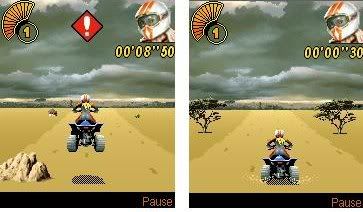
African Rally Quad will make the temperature of your mobile phone rise! In the African heat, you have to be the fastest Quad biker to complete the championship. Keep your cool to work your way up the official web ladder. Four rallies and twelve single off-road races are waiting for you. Drive through dazzling landscapes, jump above obstacles and choose the best driving style to come out on top.
Compatibility Cell Phones:
Motorola : C380, C385, C650, E1000, E398, E550, L2, L6, ROKR E1, SLVR L7, V1050, V180, V220, V235, V3, V300, V360, V3x, V400, V500, V505, V525, V547, V550, V551, V600, V620, V635, V80
Nokia : 2610, 2650, 3100, 3120, 3200, 3230, 3300, 3510i, 5100, 5140, 6020, 6021, 6030, 6060, 6070, 6100, 6101, 6103, 6111, 6125, 6131, 6170, 6200, 6220, 6230, 6230i, 6233, 6260, 6270, 6280, 6600, 6610/6610i, 6630, 6670, 6680, 6681, 6800, 6810, 6820, 6822, 7200, 7210, 7250, 7250i, 7260, 7270, 7360, 7370, 7600, 7610, 8800, 8910i, E50, N70, N80, N90
Sagem : MY-400X, MY-401X, MY-C5-2, my-V55, my-V65, MY-X4, MY-X5-2, MY-X7
Samsung : D410, D500, D500e, D600, D800, D820, D900, E300, E310, E350, E360, E530, E720, E730, E770, E810, E900, P510, X200, X450, X460, X480, X620, X640, X660, X680, X700, Z130, Z140, Z500, ZM60
Siemens :C65, CT65, CX65, CX70, CX75, CXT70, CXV65, M65, M75, ME75, S65, S75, SK65, SL65
SonyEricsson : D750i, F500i, J300i, K300, K310i, K500, K508i, K510i, K600i, K608i, K610i, K700i, K750i, K800i, T610, T630, V600i, V800, W550i, W600i, W800i, W810, Z1010, Z520i, Z600, Z800i
Thursday, July 12, 2007
vBagx is a GameBoy Advance GBA emulator for cell phones that can play GBA games on your mobile phone.
vBagX is the latest version of vBag.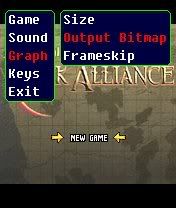 Features vBagX
* Speed adjustment option and frameskip option
* Graphics mode option (full,landscape,origin)
* For S60v3 and some S60v2, full speed with perfect sound effects for most games
* Big rom size support (full support for 32M rom)
* Save/Load in games (flash,eeprom,sram up to 128K)
* Key map setting
* Sound volume switch
* Thread priority option
Download Vbagx version 1.0
Wednesday, July 4, 2007

The – GHOST of the Mobile Starcraft is a thick gift that the Minisoyo forum dedicates player and interstellar player to the large cellular phone game. This cellular phone game success of transplanted scene chemical element and unit of interstellar to a very small cellular phone screen.
For high performance cellular phone customer can also realize at first make medium that sound effect which acquaints with but shocks again. The game development author is author whoami of the emulator JarJar of the Minisoyo cellular phone, after finishing developing emulator, he started the creation of this game. From planned art to arrive procedure, passed by for 5 months, the Mobile Starcraft came finally.


Conduct and actions 1 has over 7 years, the old bird of interstellar age, take Korean Zhao the contestant Iloveoov of the wild beast interstellar as in the meantime oneself whole life interstellar of idol, author nowise taboo of use the most mysterious the most uncanny Ghost in the Terran as the leading role of game, but the hostile square then makes to embezzle to is subjected to the protoss that person's clan bullies at first. The game adopted an ARPG form, describing after 2027 a mission carry out on the way is shotted down by the enemy Li to exert a difficulty,I am end to set off direction Protoss the pit of the base to play. The coda in game, the familiar pit plays to target later on a conveyance machine to fly from the mushroom cloud, staying to hang to read aloud infinitely for everyone. Call according to the author, descend a make Zerg of the spiritual leader impress will show up. Then the condition of three clan wars will be more vigorous.
GHOST_LargeScreen- the Nokia and the SonyEricsson model of the 240 x 320 screen
GHOST_Nokia_S60 the Nokia S60 model of the 176 x 208 screen
GHOST_SonyEricsson K700 the SonyEricsson model of the 176 x 220 screen
Thursday, June 21, 2007

Gain their trust, and they'll help you find ways to pass your exams. Build a female robot and have it flirt with your single math professor, who will then reward you with an A, burn the incense from the hippies in class to make everyone ""happy"", and cancel the English exam.
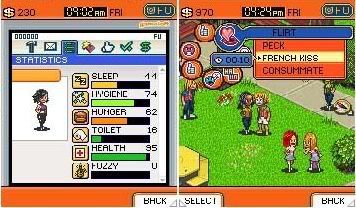
Passing your exams has never been so much fun!
* The only mobile game combining life simulation and totally nutty humor!
* A wild campus adventure just like the funniest American teen movies!
* Visit the enormous campus and have tons of encounters with all of its students!
* Join 6 different groups: Frats, Nerds, Hippies, Sororities, Goths, and Hip-hop thugs.
* A game for both girls (life simulation) and guys (humor and crazy missions!)
* Tons of options let you control and customize your character.
Friday, June 15, 2007

The young knight and nice Elf travel on the thrown kingdoms in searches of rescue for all world. Its sword is heavy and sharp, and its spells amaze imagination. Meet epic role game with amazing the schedule and huge quantity of monsters, the weapon, levels.
The purpose of game - to pass all kingdoms and to find a key to rescue of the world. During travel protagonists grow in skills, pump over the skills and find the new weapon.
The schedule looks simply amazingly, at a level of the best two-dimensional RPG from prefixes SuperNintendo.

During passage it is possible to find the weapon, the reservation and subjects. Their versions are practically uncountable. The world is simply huge, on it it is possible to wander hours. Even if to play without interruption for a dinner, a dream and needs of nature, on passage will leave more than 20 hours. One only enemies-from above 100 versions!
Sunday, June 10, 2007
If you use a lot of TinyURLs on your blog, you might want to checkout this new tool - Embiggen. It expands those cryptic TinyURLs (eg tinyurl.com/2dfmty) to their full version, allowing your readers to make an informed decision about following a link. (That's good URL etiquette.)
It's available as a button to insert into any page eg Blogger, but it's especially handy for micro-blogging services like Twitter. You can also get it as a bookmarklet for when you're browsing around and come across a mysterious TinyURL.
The hack works by using Dapper to grab the URL from the TinyURL preview page and munging the resulting JSON object with regular expressions.
I cobbled this together as part of another project on URL manipulation and tagging, but thought it might be useful enough to release on its own. There's no reason why this approach couldn't be applied to other common-yet-cryptic URLs, like YouTube, so watch this space.
Any other suggestions, feedback, bug reports etc? Please leave a comment.
Filed in: webtech, hacks, tinyURL, bookmarklets
Sunday, June 3, 2007
Blast your way through the all-new action packed Metal Slug Mobile 3. Take on the challenging role of Sergeant Allen in the third iteration of the massively successful Metal Slug Series. 

Seek and destroy your enemy as you struggle to save your troops from the impending alien zombie invasion. Visually immersive environments and never before seen animations bring this action-packed arcade classic to life on mobile.

Monday, May 28, 2007
http://uk.codejunkies.com/news_revie...3&i =9102&s=8


The trouble with most games consoles, is you can't modify the game code when it's running. Sure, you can use tools such as Datel's own Action Replay game enhancers to input all sorts of cheats and enhancements, but there's no straightforward way for amateur programmers and techie tinkerers to get inside the game, investigating how it works and trying out modifications and tweaks you've programmed yourself. Thankfully, if you're a Wii owner Datel has come to the rescue with Drive Doctor, the ultimate aid for the hardcore tinkerer and amateur programmer. With Drive Doctor for your Nintendo Wii, you can gain a unique insight into the under-the-bonnet operation of your console, examining, analysing and altering the Wii drive's memory...
With Drive Doctor in place, you can connect your Wii to your PC using the supplied USB 2.0 cable. You can then review its innermost operations, watching your Wii software in action through Drive Doctor's PC application. You can even add data of your own, all from your PC. Drive Doctor’s memory and command views give you a unique insight into the innermost workings of your Wii’s drive memory, and even lets you make on-the-fly adjustments. You can read status, write data, send control commands, report the drive status and more. By injecting your own code into the data stream, you can create your own effects and experiment with modifying the program. It’s fun! And as the Wii home brew scene grows and prospers, the device will also come in handy for playing freely-downloadable software straight from your console.
Fitting Drive Doctor requires a little soldering, so make sure you have your precision soldering iron handy. Full fitting instructions are supplied. It’s a fairly simple task, requiring you to connect just five wires. After that, the unit just clips to the back of your console. It remains in place even when not in use - just unplug your USB cable and you can use your Wii in the usual way. It's styled to match the console, and completely unintrusive when not in use.
I have to hand it to Datel for bringing console modding to the mainstream. It will be great to be able to go into the local videogame store to buy all of this stuff instead of ordering it from shady internet sites.
WiiVision has posted about his upcoming app that will boot the wii into gamecube linux and allow it to play dvd movies.
Support currently includes:
- 4.7G DVD Media (-r, +r, +rw, and of course "originals")
- Region Free
- Multi-Language Subtitle Support
Controls:
Toggle menu: B
Play/Pause: Start
SlowMotion: A
Goto Disc Root: Y
Goto First Chapter: X
FF: R Trigger
RW: L Trigger
Next Chapter: C-Stick Right
Previous Chapter: C-Stick Left
DVD Menus Navigation: D-Pad
DVD Menus Select: Start
Eject the disc at anytime: L+R Trigger Combo
Great work so far! It's good to see the GC homebrew scene still brewing up releases.
Read More
Thursday, May 17, 2007
Owing to high demand, I will explain the steps required to integrate AJAX Labels with the immensely popular Phydeaux3's Label Cloud hack.
Note: Please back up your template at three places as a precaution:
a. Before installing Label Cloud
b. Between installation of Label Cloud and AJAX Labels.
c. Before Step 4 below.
1. Your first step is to install Label Cloud. Go to Phydeaux3 and follow the steps that are mentioned there. Please comment in Phydeaux3's blog if you find difficulties in installing that hack. I cannot help you there. If you have already installed Labels Cloud, then move on to the next step.
2. The second step is to install part of my AJAX Labels. Jump to this link and follow all the steps except Step 3 (The optional one)
3. If you have a Labels widget, you probably have to delete it. (Although I'm not sure about that) Do as Phydeaux3 suggests.
4. Search for the following code snippet inside the code you copied from Phydeaux3 for Label Cloud:a.href = '/search/label/'+encodeURIComponent(t);
and replace it with this:a.href = 'javascript:getCat("' + encodeURIComponent(t) + '",null)'
I haven't tested this anywhere. I hope this one will work. If it doesn't, please revert back.
This is another tidbit for coders.
(To be honest, I'm just finding enough time to do some finishing touches for my drafts which are gathering dust and post them here!)
We come up with new hacks, invariably with a javascript file attached. You add all the hacks, end up with a truckload of javascript includes and thus, a longer loading time.
THE ROOT CAUSE
The real problem is the sequential nature of XHTML. XHTML is parsed a tag at a time. So, if you have a couple of lines like this:<script type="text/javascript" src="script1.js"></script>
<script type="text/javascript" src="script2.js"></script>
the files are loaded as follows:
The parser first encounters the first script tag. It then slowly retrieves script1.js and loads it into memory, which takes a lot of time. The parser thinks this is the best time to take a nap and doesn't proceed to parse the next script tag until the current download of script1.js is finished. See the circled portion above. Never mind the loading times. The stuff to notice is that
 scriptaculous.js doesn't start loading until prototype.js finishes loading.
Now, we have a hell lot of bandwidth going wasted during this time. We can do other activities in parallel. But how to do it?
THE FIX
The simple answer: Load the scripts asynchronously!
I call it EOF. EOF for Execute-Open-Forget. (Well!! These things ought to have a geeky name!) We execute a javascript function, request for a download of script1.js, forget it, and execute the function again with another argument for a download of script2.js
The result is very evident from the following graph below.
Again, don't worry about the load times of singular files. We cannot improve it for the user. But check out the total time taken for the two javascript files circled. It is lesser because the second one starts even before the first one is finished. This difference will be evident if the javascript files are large and takes a few seconds to load.
Now you might be asking how to make it an EOF?
That's what Javascript is here for. We use Javascript to load a Javascript file. It cannot get weirder.
Check out this nifty function:<script type='text/javascript'>
//<![CDATA[
function loadScript(src) {
var script = document.createElement("script");
script.type = "text/javascript";
document.getElementsByTagName("head")[0].appendChild(script);
script.src = src;
}
//]]>
</script>
Now you can load any number of functions using the function.
You just have to add the calls wherever you want<script type='text/javascript'>
loadScript("script1.js");
loadScript("script2.js");
</script>
This can go anywhere in the code, including onload event.
BE SMARTER
This technique can be used cleverly in specific situations.
For example, you may be using some JS libraries for some of your hacks. If the hacks don't show up during loading and does only when uses does some action, we can set a timer to load the script in background after, say, 5 seconds. The main page will be loaded in a jiffy, and the user will be effectively hoodwinked.
This will result in a really critical timing issue, if not handled carefully. Too much of timeout, and the user may get ample time to tamper with the related hack before the script is loaded.
You can also place the loadScript() call at some convenient place in the HTML code. It can be as far as the bottom portion of your HTML just before body tag, so that the page is rendered very fast. (Again, the above problem holds good here also.)
CAVEATS
Everything comes with a price. This too has its own deficiencies. Some which I know of:
1. This one is because of the different behavior of IE. IE and Firefox both can download scripts in the manner specified above. The difference is that IE executes them in the order they finish downloading, whereas Firefox executes them in the order they are appended to the DOM.
This means that your scripts cannot have dependencies on each other in IE. You can get away sometimes, if you are not using the script files until long after loading. (An example is my AJAX Labels Hack)
Update: You have to be really careful that you don't allow the user to make calls to a particular function in the dependent script in that case. The only advantage that you can get is a slight improvement in overall loading time.
2. You can download more than two files at the same time only if they are from different domains or subdomains. Normal browsers (including Firefox) can open only upto 2 simultaneous HTTP connections to a domain. If you try to download too many files at the same time, you may even witness bottlenecks. So use this discreetly.
ET AL.
There are many more ways of improving load times:
1. Compress the javascript file. There are umpteen ways of doing that. Refer to my previous post.
2. Check this link out: Speed Up Your Javascript Load Time - BetterExplained
Monday, May 7, 2007
Get ready to tune 4 rides in a stack of mini games that take you from Rookie to Master.In Hit it you gotta match the moment and beat that bodywork.Then release the pressure and get the lacquere job right in Flawless Finish.Boost your looks with the Slot Stickers and last of all fix any fried circuits in the classic Electrix game.

Compatible Devices
SonyEricsson K600, K600i, K700, K700c, K700I, T610, T616, T618, T628, T630, T637, V800, W700i, W800i, W810i, Z1010, Z600, Z608, Z800
Motorola C650, C975, C980, E1000, E1070, E398, E550, E770, E770v, L7, PEBL U6, ROKR E1, V1050, V180, V220, V3, V300, V3i, V400, V500, V525, V535, v547, V600, v635, V80, V975, v980
SAMSUNG SGH-D500, SGH-D500C, SGH-D500E, SGH-D508, SGH-D600, SGH-D600E, SGH-D820, SGH-D900, SGH-E100, SGH-E108, SGH-E300, SGH-E330, SGH-E330C, SGH-E330N, SGH-E338, SGH-E340, SGH-E630, SGH-E630C, SGH-E638, SGH-E700, SGH-E700A, SGH-E730, SGH-E800, SGH-E800C, SGH-E808, SGH-X460, SGH-X460C, SGH-X468, SGH-X480, SGH-X640, SGH-Z105, SGH-Z107
Panasonic -MX7, -SA6, -SA7, -VS2, -VS3, -VS6, -VS7
Sagem myV-55, myV-65, myV-75
Siemens C65, S65
Nokia 2610, 2650, 2652, 3100, 3105, 3108, 3120, 3200, 3205, 3220, 3230, 3250, 3300, 3510i, 3530, 3560, 3590, 3595, 5100, 5140, 5140i, 6020, 6021, 6030, 6100, 6108, 6200, 6220, 6225, 6230, 6260, 6600, 6610, 6610I, 6620, 6630, 6650, 6670, 6680, 6681, 6682, 6800, 6810, 6820, 6822, 7200, 7210, 7250, 7250I, 7260, 7600, 7610, 7650, 8910i, E61-1, E61i-1, E62-1, N70-1, N72, N77, n91-1
Friday, May 4, 2007
I've got to hand it to them, this is some pretty hardcore hacking going on at WAB and Team Infectus. The idea as it has been discussed is, you run the wii with probes attached to the memory. Then you apply an external power source and turn off the wii. Now everything that was in memory stays in memory and you can read it out and see if there is anything useful. Looks like they've got logic analyzers and their own homebrew circuits attached to try and figure out a way into this thing. God luck guys!
To follow their progress, check out the forum post here.
Wednesday, May 2, 2007
Over the last few weeks, several groups have been dumping chips on the wii motherboard to see what they can find. After dumping one of the Wii's memory chips they realized that everything is encrypted and not very useful. They are not going to give up easily, now they are going after the RAM to see what data is stored in memory unencrypted.
The play-by-play can be found on websites such as WiiNewz Forums or TehSkeen, as well as OpenWii Forum.

While not pracitcal, and definitely not secure, some clever engineers have hooked up a wiimote to their electronic lock, and can now open their door with the flick of the wiimote.
Check out their Video on YouTube:
The translation of the original site can be found here.
Sunday, April 29, 2007
One question that arises regularly with my blogging is the update dilemma - what should to do with those little scraps of information that pertain to an earlier post? This article outlines an approach to dealing with this common issue.
When I'm following a breaking news story or there's delayed developments or even a random thought occurs, I want to inform my readers in the most convenient way. If it's big enough, a whole new post may be warranted (with a link back to the earlier post). Otherwise, I ask myself: should it be done with a comment or with a manual update to the bottom of the original post? Thanks to Hearsay (and other recent comments hacks), a comment will have visibility across all blog pages, informing all visitors (but not subscribers). If there's a lot of comments on a particular post or a high rate of commenting on the blog, important updates can get lost. Alternatively, appending an update (or follow-up, postscript, addendum, errata or correction) to the post may not get out to subscribers and visitors who are interested.
I've tried to get the best of both worlds by using Yahoo Pipes to automatically generate an update feed for my blog. This feed consists of the most recent updates (to any post on my blog) and can be offered to subscribers, much like a regular post or comment feed. It can also be combined with Hearsay to produce a friendly sidebar panel to display the most recent updates to your site visitors.
The rest of this article introduces the Blogger Update Extractor pipe, explains its operation and how you can use it in your blog. I conclude with some possible alternative uses and pointers on future developments.
First of all, to get a clearer idea about the problem I'm talking about (and my solution), have a look at this post about a court case I was following. As you can see, there were five updates (each about two paragraphs) over the twelve months after the original post. This is fairly common with my posts - perhaps a quarter of them feature one or more updates like this.
I have long adopted the convention of using *** UPDATE *** to indicate that the subsequent text has been appended to the original post. I also use a named anchor (eg <a name="update1"> ... </a>) on each update heading. Why? Two reasons. Firstly, it gives me a unique URL for each update (ie http://...#update1) in case someone wishes to bookmark it. Secondly, my Blog-Nav system picks up anchors so that users can jump up and down the page (use the up/down arrow in the top right to see).
What the Update Extractor pipe does is gather my blog's RSS feed (not Atom - see below) and parse out the updates, returning a new RSS feed that consists of just the most recent updates. This works because of handy feature in Blogger's RSS feed that is not present in Atom: when you update any post it automatically goes to the top of your RSS feed. The rest is just straightforward regular expressions in Yahoo's Pipes.
With this new feed, you can offer it to readers (perhaps after burning it through FeedBurner for stats) and/or display it in your blog's sidebar to let all readers know. The links will point to the actual update, not just the post (eg http://...#update1)
Now, the latest Blogger has support for displaying arbitrary RSS feeds: you can simply use that. Or, you can create a "special" feed that will work with the Hearsay hack to give you a bit more control over presentation.
If you want an RSS feed of your recent updates, use this URL:
http://pipes.yahoo.com/pipes/pipe.run?BlogID=xxxxxxxx&_id=pAQ35A322xGwxdeMouNLYQ&_run=1&_render=rss
(replace xxxxxxxx with your blog's Blogger ID)
If you want a Hearsay-style sidebar panel of your recent updates, insert this code into your Blogger template sidebar:
<div id="recent-updates" ><center><br/><br/><br/>Please wait ... <br/>loading updates.<br/><br/><img src="http://ghill.customer.netspace.net.au/snake_transparent.gif"/></center></div>
<script type="text/javascript" src="http://ghill.customer.netspace.net.au/hearsay/hearsay-v01c.js"></script>
<script type="text/javascript">
hearsay("http://pipes.yahoo.com/pipes/pipe.run?BlogID=xxxxxxxx&_id=Ik9FeAz22xGZT18tqWIyXQ&_run=1&_render=json", "recent-updates", true);
</script>
(Again, where xxxxxxxx is your blog's Blogger ID.)
The Update Extractor comes in three flavours: "Full" grabs all the text following an update (ie to the end of the post); "Partial" grabs just the next (substantial) paragraph and "Hearsay" grabs the partial feed but prepares it for display by the Hearsay script. Please feel free to clone and modify the pipes as needed; I'd appreciate it if you could put a comment here so I can have a look.
NB: Using more Pipes, your blog's update feed can be merged easily with your blog's comment feed if that would make more sense for your blog.
One downside of this solution is when there are multiple updates to a post: it will only "see" the most recent (ie physically last) update. This is okay for low-frequency updates but completely inadequate if you put your updates at the top of the blog.
The problem is that the feed doesn't contain any information about the time of all the updates, just the first publication timestamp and the most-recent update timestamp. To deal with this, I'm now using a new convention whereby instead of naming my anchors "update1", "update2" etc I'm using a timestamp "update1177829961000". Future versions of the pipe will be able to see this and handle multiple updates per post intelligently.
Rather than typing all that in each time, I've made a bookmarklet to help out. (See below for code.) The automatically generated update heading looks like this:
<center><a title="Sunday, 29 April 2007 04:59:21 PM" name="update1177829961000"><span style="font-weight:bold;">*** UPDATE ***</span></a></center>
This same basic approach - mark out content with an anchor, process the RSS feed through Pipes and display via JSON - can apply to other content too. For example, I quote heavily from newspapers in my blog posts, so I could create a feed just of quotes. You could also make a feed for hat-tips, code, links, images, citations, headings or pretty much anything else.
So there you have it: blog update feeds for your subscribers and visitors. As usual, comments, criticisms and suggestions are most welcome.
Timestamp Anchor Bookmarklet Code:javascript:var insert_date= new Date(); insert_timestamp=Date.parse(insert_date); insert_html='<center><a title=%22'+insert_date.toLocaleString()+'%22 name=%22update'+insert_timestamp+'%22><span style=%22font-weight:bold;%22>*** UPDATE ***</span></a></center>'; document.forms.stuffform.htmlPostBody.value+=insert_html; void(0);
It occurs to me that maybe a live working example on this page might help. This is what I mean by an update - some content added some hours laters. If you mouseover the update heading thingy above, you'll note that it gives you the time of update. At the risk of inducing recursive madness, here's Freshblog's update feed. Note that the embedded link in the feed doesn't just point to this post, it points to this update (via the named anchor).
After noticing "something screwy" going on, I've modified this Yahoo Pipe to append the now-required orderby=updated to the feed fetch module. Props to Phydeaux3 for the explanation and syntax.
Filed in: blogtech, blogger-hacks, feeds, how-to
Wednesday, April 25, 2007
In my ceaseless quest for content to clutter up my blog's sidebar, I have found a rich new source: reader search queries, or "buzz". BuzzFlux allows you to retrieve and display these search queries in near-real-time, right in your sidebar, for the amazement of your readership. It also signals my return to blog-hacking after a six month hiatus.
Should I Do This?
First things first: is it a good idea to display your readers "live" search queries on your blog? On the plus side, it gives readers a good idea about what kinds of content your blog has (at least, as far as search engines and their users are concerned). In that sense, search queries may be considered as micro-content, a bit like tags. It may also help keep readers on your page, especially if coupled to your built-in blog search (see below).
On the downside, it may disturb some readers to see their recent queries displayed like this and some may be sensitive to the privacy side of things. Also, you have no control over what readers type into search engines, so you may be displaying potentially defamatory, profane or otherwise inappropriate content on your blog.
I'd be interested in Freshblog's readers' views on this one, so please chime in with your own thoughts on this question.
How Does BuzzFlux Work?
Most blogs worth their salt employ some sort of web stats service. Typically, you put a bit of code into your template that "phones home" to a central server every time a page is hit. Among other things collected is the referring URL, which contains the search query if the reader used a search engine to find your blog.
I think all stats services report on search queries. I use BlogFlux for some of my web reporting. They make some (though not all) of their stats available via RSS, which is handy for hacking. Unfortunately, the search queries page isn't one of them. To get the search page info in a useful form, I made a simple Dapp to retrieve the target page. (Here's the Dapp.) Once the contents are returned as a JSON object (an array of the top search queries), the BuzzFlux script just formats the results for display in the sidebar.
If there are more search queries than space permits, BuzzFlux "rotates" the queries every few seconds. (That is, it swaps in other queries at random).
As a nice add-on, readers can click on a search query of interest and my sidebar searching hack will scour your blog for that query, displaying the results in your sidebar too. By showing readers other people's queries and the results on the page, it's hoped that it will help readers find relevant content without leaving your site. (NB: This extension requires you to install the Recursive Backlinker hack.)
Check out the magic in action on The Speccy (scroll down to "Catch the Buzz" in the sidebar).
How Do I Install BuzzFlux?
First, go and register with BlogFlux and install their stats counter on your blog. (This hack doesn't have to rely on BlogFlux, but that's how it is at the moment.)
Next, put this in the header of your blog template:
<script type="text/javascript">
// BuzzFlux
Buzz = {"divid":"BuzzFlux", "limit":"15", "timer":"2000", "blogid":"1413", "period":"hour", "scan":"", "queries":[]};
</script>
<script type="text/javascript" src= "http://ghill.customer.netspace.net.au/buzzflux/buzzflux.js"></script>
The parameters are as follows:
divid = the ID of the div in your sidebar where all this content will be displayed.
limit = the number of queries to display at any given moment
timer = the delay (in milliseconds) between rotating queries
blogid = the BlogFlux ID number for your blog. Found in the URL of your results pages.
period = the period over which search queries are drawn. Allowable values are month, week and hour. Only use hour for high-traffic blogs since you want a reasonable number of queries to display (ie less than five search hits an hour and it will look a little sparse).
scan = the ID of your in-blog search field. Leave it as "" if you're not using the extension.
Now, edit your blog template to put this in your sidebar:
<div id="BuzzFlux" style="text-align: justify"> ... loading recent search queries ...</div>
Finally, you might consider throwing some CSS styling in. Either add these to your CSS file, or put them in the <style> part of your template header:
.BuzzList{ height: 9em; overflow: hidden; padding: 10px;}
a.BuzzItem{ text-decoration: none;}
a:hover.BuzzItem{ text-decoration: underline;}
Where To Next?
This opens up a range of possibilities. Not least is that FreshTags has for some time supported tag extraction from search queries, providing a means for some sort of query/tag cross-over. Another thought would be to use Yahoo's Pipes to merge, sort and process buzz from other (related? or rival?) blogs too.
As alluded to before, there are also pitfalls too. For example, who owns the copyright on a collection of search queries? Who's liable for publishing them? Of course, it's anonymous - to a degree. Without the aggregation effect of a Google Zeitgeist, it may be more like AOL's search debacle from last year.
Filed in: blogtech, blogger-hacks, search, blogsearch
Saturday, April 21, 2007
 Play golf totally in 3D on realistic courses that will take your breath away!
Play along with Vijay Singh in the most realistic golf game on mobile with its unbelievable 3D graphics! Play on golf courses like the famous Harbor Town Link and discover the benefits of golfing in total 3D: new camera angles for high-precision shots, a 3D environment with an ultra-realistic effect on your ball’s trajectory, and more! Get the ball rolling on your pro career and discover all the great features Pro Golf 2007 3D has to offer, including the intuitive shooting system allowing beginners to golf in no time and all the gameplay subtlties that will thrill the most demanding golfers!
 Features Pro Golf 2007 3D Feat. Vijay Singh
- Awesome graphics and players in total 3D for maximum realism.
- 3D ground surfaces worthy of a real-life golf course that won’t leave you any room for error.
- Play along with Vijay Singh on a legendary golf course: the Harbor Town Link!
- An intuitive shooting system for beginning and lots of effects to master for the pros!
Compatible Devices
 LG : KU800 / KU970
Motorola : RAZR V3xx / RAZR V3xxv / V1100 / V6
Nokia : 3250 / 5300 / 5500 / 6085 / 6125 / 6126 / 6131 / 6136 / 6151 / 6233 / 6234 / 6270 / 6280 / 6282 / 6630 / 6680 / 6681 / 7370 / 7373 / 7390 / E50 / E61 / E62 / E70 / N70 / N71 / N72 / N73 / N75 / N80 / N91
Sagem : my600V / my600X / my800V
Samsung : SGH-P920 / SGH-Z140 / SGH-Z150 / SGH-Z230 / SGH-Z300 / SGH-Z310 / SGH-Z400 / SGH-Z500 / SGH-Z510 / SGH-Z540 / SGH-Z560 / SGH-ZV10 / SGH-ZV30 / SGH-ZV40 / SGH-ZV50
Sony Ericsson : D750i / K310i / K510i / K550i / K600i / K610i / K750i / K790i / K800i / V630i / W200i / W300i / W550i / W610i / W700i / W710i / W800i / W810i / W850i / W880i / Z520i / Z530i / Z550i / Z710i
Tuesday, April 17, 2007
Sorry for the lack of Wii hacks, but the truth is, there is nothing new to report. The hype with the Wii seems to have died down a bit, and no new developments have been made in regards to executing arbitrary code on the Wii console. While I wait in hopes that someone will finally unlock this little white box, there an another little white box in my life now... The Apple TV. And this one is completely hackable
If you have any Wii related hacks that you would like to see featured on this site send an email to liquidice629 at gmail
Sunday, April 15, 2007
The Internet Channel is out of beta, and a new download is available in the Shop Channel.
Nintendo and Opera has unleashed a new version of the beloved internet channel on the Nintendo Wii. It's new features include:- Parental Control support
It sounds like the most useful feature is going to be the option to hide the toolbar. Finally we can watch fullscreen movies on the wii in the browser! I'm upset not to see usb/bluetooth keyboard support in this release, maybe next time? The parental features are useless because kids will find a way around them, but I guess Nintendo has to at least make an attempt.
- Optional Internet content filter provided by Astaro (available soon)
- Improved start-up speed
- Clearer text when zoomed-in
- Improved Wii Remote navigation
- Improved scrolling and zooming
- Built-in search via Yahoo! or Google
- Option to hide Toolbar
- New cursor animations and operation sounds
- Ability to view page security information
- Option to delete cookies
- Built-in support manual
UPDATE: The latest browser breaks some things like playing long flv video files. Developers are searching for workarounds. Check Pimpware.org and WiiCR.org for more info.
Tuesday, April 10, 2007
I'm alive, but not kicking. I'm dead lazy nowadays. Don't ask me why, but I just am into several other things.
Anyway, to break the ice (again), I'll start with a tip for the budding developers out there. Most of the seasoned folks already know about most of these tools. This is just my personal list of essential tools used for my web development.
1. Mozilla Firefox
If you love customizations, Firefox is the browser you want. It is not "the" complete browser around, but its extensibility is enough to make it a clear winner.
As I read somewhere out on the internet, Firefox's secret is the same as Jessica Simpson's: it's chic style is the result of... ahem... extensions.
The single best thing that I love about Firefox is extensions... extensions for any damn thing you can do in the universe (Except, maybe, brewing a cup of coffee :P)
In fact there are so many Firefox extensions around, that your head will spin.
Now the interesting part. Even you can create an extension yourself. You just have to have a basic knowledge of XUL and Javascript, which is so easy to be called a trifle.
Firefox is a much better browser than Internet Explorer (On second thought, a real browser unlike IE, as Aditya once pointed out.)
So what are you waiting for? Just dump Internet Explorer and start using Firefox.
2. Firebug
This was the first extension I looked for after I installed Firefox in my new laptop at office. I cannot live without this extension. This is a very desirable tool for any web developer.
It lets you inspect and edit HTML, change the CSS style on the fly, debugs javascript code and even monitor the loading times of the components in a web page.
I'm particularly impressed with the CSS/HTML editing on the fly, because I can perfect the CSS without the toiling job of saving the page-loading-saving again.
The AJAX debugging capabilities are also too good. I still don't know of any other method to debug AJAX calls.
3. IE Tab
This is for those people who just can't ignore their readers who still use Internet Explorer. Even if I loathe IE, I can't turn a blind eye towards that pathetic software which calls itself a browser.
This Firefox extension adds an option to open in IE Tab in your Status Bar and in the right-click menu.
If you open in IE Tab, it uses the rendering engine of Internet Explorer, so you will get a view just like in IE, without going out of the luxury of Firefox.
This is useful to fix the nasty IE bugs.
4. Ning
Ning calls itself a personal Social Network creator. But it is more than that. It can do a lot of things like hosting server side scripts for free. Of course, I know it is not all that Ning can do.
I myself am not very much aware of the power of Ning, because I haven't ventured into those seas yet. I'm still in a learning phase with Ning.
Several of the PHP scripts of the bleet are hosted in Ning:
a. Wrinks
b. Javascript Minify
c. Native Search Suggest
All I can say is that very few people have usefully tapped Ning's power.
5. Macromedia Dreamweaver
I'm so spoilt by this software that I can't think of anything else to edit my XHTML/CSS/JS code. I don't use it for any pleasure other than proper syntax check and coloring while I code.
6. TidyJSON
Programmers working with JSON feeds encounter a very irritating problem. The feed you get will usually be a one-liner, and it is a toilsome, if not impossible effort to check the objects inside the JSON feed. This is where TidyJSON comes in handy.
It is a commandline utility to read JSON from a file and format it with good coloring and indentation. Working with JSON will never be the same!
7. URI Encoder
You will definitely need this if you are posting some code in your blog. You'll need to convert all those tags to corresponding URIs. There are umpteen number of online tools to do that. This is just one of them.
8. Javascript Compressor
You can always save some valuable load time by compressing your JS code. This basically removes all unnecessary stuff like extra newlines, comments and renames some variables, so that you end up getting a much smaller file size.
For those crazy ones, you can obfuscate the code too. I don't do that. I want my readers to read and understand the code, if they want.
There are umpteen number of static compressors out there. One which needs particular mention is Stephen's JScripts Minify. It is a dynamic Javascript compressor which requires you to just host the original JS file in jscripts.ning.com and access the file with argument ?minify. Check his post for more info.
9. JavaScript Code Improver
This does just the reverse of the previous. This converts compressed or obfuscated code into a more readable format. Very useful in reverse engineering.
10. The Prototype API document
This is a very useful document for people who use Prototype library extensively. Available as a PDF document as well as a sidebar extension for Firefox.
Sunday, April 1, 2007
Solution for the last hundred yards
For those who haven't seen the news yet, Google has announced TiSP, a free in-home wireless broadband service. It's in BETA, and those wishing to participate must apply TODAY, April 1, 2007.
Installation couldn't be simpler: Remove the spindle of fiber optic cable from the installation kit, activate the patented "GFLush" system which connects the cable to one of thousands of TiSP Access Nodes, where Plumbing Hardware Dispatchers (PHDs) complete the access point connection.
Drawbacks: Google Toolbar must be installed, presumably so Google can serve up their ads on this advertising supported service.
Don't forget, incidentally, that today is Internet Spring Cleaning Day.
Saturday, March 17, 2007
Although there's still quite a bit going on with Yahoo Pipes, interest in the gee-whiz user interface seems to be waning around the blogosphere. While the drag-and-drop interface is cool, I think one of the more useful and interesting features of Yahoo Pipes is its ability to export data as JSON data.
Yahoo makes all of its data -- including Pipes feeds data -- available as JSON. JSON -- Javascript Object Notation -- is just data presented as Javascript code. That means you can write Javascript to work directly on the data without any XMLHttpRequest objects to open, get and parse. And because Yahoo provides a nifty callback mechanism, you don't run into the cross domain security issues that plague Ajax developers -- everything runs on the client and Yahoo Pipes enables some truly interesting mashup possibilities that go way beyond the "aggregate 200 feeds and filter on my keywords and pull in some Flickr photos" examples that dominate most blog discussion on Yahoo Pipes.
Code for your site
The most frequently asked question I see on the Pipes discussion boards seems to be "How to I put Pipes feeds on my website?" Here are code examples showing how you can pull data from a Pipes JSON feed and display it automatically on any web page.- Get the JSON feed data. Here's the code to do that. Replace "PipeID" with the feed you're interested in. Be sure to retain "_render=json&_callback=pipeCallback". More about the callback parameter later. Make sure this script is someplace it will be executed when the HTML page loads.
<script type="text/javascript"
If you need a real life example, try this:
src="http://pipes.yahoo.com/pipes/pipe.run?_id=pipeID&_render=json&_callback=pipeCallback">
</script><script type="text/javascript"
src="http://pipes.yahoo.com/pipes/pipe.run?_id=lLJMf7HH2xGlUlFRJjBjOg&_render=json&_callback=pipeCallback">
</script> - Write some CSS. To keep my example simple, I'll use <div> to put things where I want to go. Because this is a callback function, you can't just use document.write because you don't know where the text will actually end up unless you use CSS to place the text. You can define this however you want, but in my sample code I'll use a CSS ID called "leftside" and define a left sidebar.
#leftside {
 position:absolute;
 left:10px;
 width:180px;
 border:1px solid black;
 font-size:0.8em;
 padding:8px;
 margin:8px;
} - Create the callback function.The <HEAD> section of the HTML page is as good a place as any to put this code.
<script type="text/javascript">
function pipeCallback(obj)
 document.write("<div id=leftside><h3>My Pipes Feed</h3>");
 var x;
 for (x = 0; x < obj.count ; x++)
 {

  var buildstring = "<b><a href=" + obj.value.items[x].link + ">" + obj.value.items[x].title + "</a></b>. <span id=desc>" + obj.value.items[x].description + "</span><br />";
  document.write(buildstring);
  buildstring = null;
 }
 document.write("</div>");

}
</script> - Some explanation. The function pipeCallback is called by the JSON method that you loaded in Step (1) above. Note that the name of the function matches the _callback parameter you used in calling the first script. obj is the JSON object with one or more members. I'll describe the members in the next step. You can modify this function to change how the link text looks and where the text is placed, but in this example the Title will be a link to the URL of the original article, and the description is also displayed. In real life, you may want to limit the number of items that are actually displayed.
- Arrays and fields. obj.count is the number of members that are in the object. obj.value.items is an array of the members. These members may have different elements depending on how the Pipe was constructed -- you'll need to look at the actual JSON data to see what's specifically available -- but typical RSS feed things will be there, including
- obj.value.items[x].title -- the title of the article.
- obj.value.items[x].description -- the text or summary of the article.
- obj.value.items[x].link -- the URL to the original article.
- obj.value.items[x].pubDate -- the publication date of the article.
- obj.value.items[x].title -- the title of the article.
If you're able to make use of this code, please feel free to post your example in the comments.
Thursday, March 15, 2007
Asphalt 3: Street Rules is rocketing right onto your mobile phone! The third installment of the most famous mobile phone racing game throws you right into the heart of the underground racing world.
Take the wheel of your dream car or bike and make a name for yourself in this circle where respect and money are won through drifts and pileups. Force your opponents off the road and avoid the police roadblocks to attract TV helicopters filming your exploits live! Zip into the world of Asphalt 3: Street Rules and live out the most spectacular mobile racing experience!


Features Asphalt 3: Street Rules
Impose your style at the four corners of the world by triumphing in the streets of San Francisco, St. Petersburg, Honolulu, Tokyo, Rome, Bombay, and Las Vegas. Ride through these circuits with your pedal to the metal and plunge into totally different and specific 3D settings. You'll earn the respect of the underworld and make a fortune by taking on challenges in five racing modes to be unlocked.
Thanks to 3D graphics never before seen on mobile phones, Asphalt 3: Street Rules brings you a speed sensation worthy of the best console racing games.
Back at the garage, Asphalt 3: Street Rules puts you behind the wheel of the hottest racing machines! You'll be able to unlock the 9 cars and 3 motorcycles as your cash grows, ranging from the Mini Cooper S to the Lamborghini Gallardo Spyder. Finally, you'll be able to personalize your beast with tune-up options: modify up to 16 parts of your hotrod to turn it into an unbeatable machine!
Wednesday, February 28, 2007
For those who have reaped the benefits of Alternating Sidebar Styles hack, it has now become even better.
The original hack supported only single-sidebar templates.
This update will automate the even-odd styled sidebar widgets for any number of sidebars.
The only thing you have to bear in mind is that each sidebar section (which you want to show in alternate style) should have a class sidebar.
This update is a result of constant bugging by Sumesh. Great going, kiddo! :p
STEPS FOR UPGRADING
Absolutely none!
I have made the changes in the javascript file itself.
However, you have to make sure that each sidebar section is of sidebar class. (If you are using Ramani's or Hoctro's templates, or have used the instructions from Beautiful Beta for adding sidebars, then it already has that classname)
FIRST TIME INSTALLERS
Rush to the instructions for the original hack.
Please don't ask me on instructions to add a new sidebar. Check out Beautiful Beta which already has the instructions.
Monday, February 26, 2007
Technorati has their top 100 blogs, with popularity based on the number of links to the blog. These popular blogs are high volume and tend to be heavy on geek-tech subjects, though a number of political blogs are also featured.
These blogs are linked to because the content tends to be pretty good, but the busy blogger may not have time to follow these feeds effectively. If you blog about a niche topic, you've probably been scooped by some of your friends who caught a mention of your favorite subject on BoingBoing or engadget.
I've created a handy, subject-filtering tool just for you. Enter the keywords you're interested in and you'll have your own, custom RSS feed that search for those keywords from many of the most popular, English-language blogs. Subscribe to that feed and you've narrowed your view of these high volume blogs to just the topics you're interested in.
For example, I blog about bicycling. I watch for the terms bike, cyclist and bicycl. With these words, I get bikes, bikers, bicyclist, bicycling and so forth. I tried "cycle" at first, but I got a lot of posts about recycling, budget cycles, and the water cycle. You may need to experiment similary.
Let me know if you find this tool helpful. I've created it with Yahoo Pipes; if you need more than four keywords or you need some flexibility in where the searches are done, it's not difficult to copy my Pipe and create your own.
Try out the user provide keyword search for top blogs tool.
I plan to post a series of tips on how to use RSS to help with your blogging. This first one comes from howtogeek.com.Digg.com can be a great source of traffic to your site. If you want to know if an article has been Dugg, follow the link and read the post.
read more | digg story
Friday, February 23, 2007
The AJAX Labels is back with more features! I was planning to release this with my new template, but the template design is slipping beyond schedule.
Note: If you want to integrate AJAX Labels with Phydeaux3's Label Clouds, read this post and come back here.
Some of the new features are:
- Built-in navigation system.
- More user customisability. (You don't even need to know coding for that!)
- Support for Unicode Categories in IE.
- More user-friendly installation. (Code to be copied/modified in template is reduced)
FRESH INSTALLATION
Click here for Upgradation instructions.
If you already have AJAX Labels installed, you can directly jump to upgradation instructions.
Like the first version, this one too needs the Prototype JS framework. You can either store it in a location of your preference, or use the location that I've given below.
First of all, back up your template. It is always a good idea to back up your template, so that you can revert if you mess things up.
1. Click Page Layout->Edit HTML. Check the box saying "Expand Widget Templates"
Look for the
</head> tag in your template. Insert the following code just above that.<style type='text/css'>
#indicator {position:fixed;z-index:1000;padding:15px 0;top:40%;background-color:#FFFFFF;border:1px solid #AAAAAA;width:176px;left:50%;margin-left:-88px;text-align:center;}
#search-result {border:1px solid #AAAAAA;padding:10px;padding-bottom:30px;font-size:85%;}
.search-result-meta {background:#EFEFEF;padding:2px;}
.search-result-meta img {border-width:0;vertical-align:text-bottom;}
.search-title {font-size:1em;padding-bottom:3px;font-weight:bold;text-align:left;text-decoration:underline;}
.search-cat {display:block;padding:3px;font-size:1em;margin-top:5px;margin-bottom:5px;border-bottom:1px solid #C0C0C0;font-weight:bold;}
.search-close {color:silver;float:right;border:1px solid #F5F5F5;margin-top:10px;cursor:pointer;}
.search-result-nav {font-size:1.4em;font-weight:bold;padding:5px 0pt;text-align:center;}
</style>
<script type='text/javascript' src='http://bloggerhacked.googlepages.com/prototype.js' />
<script type='text/javascript'>
//<![CDATA[
// User customisable parameters
// ----------------------------
// maxresults - Number of results to show per page
// navFlag - Set Navigation ON or OFF. Give 1 for ON and 0 for OFF.
// feedLabel - Text to show for the label feed link.
// catLabel - Label for categories.
// closeLabel - Label for Close button. You can use hypertext also.
var maxresults = 5;
var navFlag = 1; //ON by default
var feedLabel = "Subscribe to";
var catLabel = "Sorted into:";
var closeLabel = "Click to close";
//]]>
</script>
<script type='text/javascript' src='http://bloggerhacked.googlepages.com/ajaxlabels.js' />
Note: You can avoid the prototype script addition line if you already have added the prototype.js script to your template (It is quite likely, if you have added some hack to your blog). If you don't understand what I'm saying, never mind.
Now the customisation part.
See the snippets in red above. Those are the stuff which you can customise.
Just above that I have written comments on what each represent. To customise them, you just need to modify them to the appropriate value.
For example, if you want to change the close button text from "Click to close" to, say, "[X]", then simply change "Click to close" in the red area to "[X]".
Navigation Feature: The navigation feature allows pagination of the results. So you can view all the results in several pages.
maxresults and navFlag together determine how it is shown.navFlag is the parameter saying whether you want this feature or not. The number of results shown per page will be decided by
maxresults. The number of pages will be calculated automatically.Eg: Lets say, you have 13 posts with a particular label in your blog.
Case 1:
maxresults=5 and navFlag=1You will have 3 pages (peekaboo blocks) with 5 results each. There will be a navbar which will let you go to any of those 3 pages.
Case 2:
maxresults=5 and navFlag=0You will have a single page with 5 recently updated posts with the particular label.
You won't be able to view other results
Case 3:
maxresults=20 and navFlag=1You will have a single page with 13 results (Because 13 is less than 20).
If you know CSS, you can modify the look of your result block as well.
2. Locate the following code in your template:
<b:loop values='data:post.labels' var='label'>
<a expr:href='data:label.url' rel='tag'><data:label.name/></a>
Replace it with this:
<b:loop values='data:post.labels' var='label'>
<a href='#sres' expr:onclick='"javascript:getCat(\"" + data:label.name + "\",null)"' rel='tag'><data:label.name/></a>
3. Optional: If you have the labels widget in your template.
Locate the following code in your template:
<b:if cond='data:blog.url == data:label.url'>
<data:label.name/>
<b:else/>
<a href='data:label.url'><data:label.name/></a>
</b:if>
Replace it with this:
<b:if cond='data:blog.url == data:label.url'>
<data:label.name/>
<b:else/>
<a href='#sres' expr:onclick='"javascript:getCat(\"" + data:label.name + "\",null)"' ><data:label.name/></a>
</b:if>
4. Click on the button below.
This will take you to an Add Widget Screen. Select your blog and click on Add widget.
5. Save your template. That was a breeze, wasn't it?
UPGRADATION
Caution!
If you are installing AJAX Labels for the first time, don't proceed any further. You are already finished with your installation. This section is only for upgrading from the previous version.
1. Back up your template first. (Be pessimistic in these matters ;) )
2. Go to Edit HTML. Look for my previous installation of Javascript. It is very easy to find. It is enclosed within
<!-- Begin Categories --> and <!-- End Categories -->Delete that entire portion.
3. Now check Step 1 of the FRESH INSTALLATION section. Follow that step and come back here.
4. Search for the following snippet in your template.
'"javascript:getCat(\"" + data:label.name + "\")"'There will be two places where this occurs.
Replace both places with this
'"javascript:getCat(\"" + data:label.name + "\",null)"'5. Save your template and go to page layout screen and delete the HTML/Javascript widget you had created when you installed the previous version.
6. Go to step 4 of FRESH INSTALLATION section. Follow that step and come back here.
7. Save your template and you are done. There! That was not very difficult.
ACKNOWLEDGEMENTS
Tsung-Kai Chen - For his several comments and the bugs he found in the previous version.
Bahram - For the heads up on the Unicode Category issue in IE.
Update 1: The code had minor syntax errors (due to wrong copy paste)because of which the hack was not working. Problem is fixed now. Reinstalling the hack will make it work.
Update 2: Drat! Another silly mistake. The Close button was not working. I've fixed this. Just delete the widget and add it again (Step 4) . You don't have to redo any other steps.
Update 3: Arrgh!! Another bug. I have made the corrections. You will have to redo Steps 2, 3 and 4. This will remove support for the rel-tag microformat. I will release an update if I find a way to work around that.
Thursday, February 15, 2007
Media Guerrilla has a provocative post on the 90 second news cycle. The secret to media exposure and worldwide fame, then, is to post something good every 90 seconds, 24 hours a day, 7 days a week. That's over 9000 350,000 blog posts a year.
Alternatively, you can create good quality relevant content and maybe get somebody's attention.
Via Hyuku.
Update: Correction to a simple arithmetic error.
Wednesday, February 14, 2007
Those who know UNIX might know the use of pipes. Pipes are what make the shell scripts do their job. Think pipes. Think Feeds. Think mash-up. And think Yahoo! The result is Yahoo! pipes.
Yahoo! pipes is a versatile method of filtering out unnecessary data from feeds and getting exactly what you want.
Yahoo! pipes works similar to UNIX pipes, to redirect output to different blocks/widgets sequentially and get a final format which the user wants. But the best part is, there is no coding involved. Any amateur user can use the pipes to get a personalized feed. It is so simple. Just drag and drop filters, give the proper parameters in each, and connect each through pipes.
Check the following pipe for instance. I create a Fetch block and give my feed URL. Then I pipe it to a Filter block which will filter it based on a simple rule - Select all the entries which have category "Stories". It is then connected to "Pipe output".
The result is a feed which has only those entries with category "Stories", filtered out from the original feed.
This is just a simple application. There are a myriad of possible ways you can create a mash-up. Heaven is the limit to the number of smart ways you can customize your feeds.
You can even give query strings and get the output as feeds. You have the option of getting RSS or JSON feeds.
THE VERDICT
Feeds have already been making news as an excellent way of representing data. Pipes just made it better. As I said, heaven is the limit. We can expect some new hacks for Blogger too which uses Yahoo! pipes.
FURTHER READING
1. Pipes to the rescue! - Aditya
2. Pipes and filters for the internet - O'Reilly
UPDATE
1. There is a bug in Yahoo! pipes currently which results in published date field to be blank in the feed. Ramani has mentioned this to the "Pipes Suggestion Board". It is important that we get this bug out of the way. So please vote for his feedback. Ramani reckons that Yahoo! is not like the Blogger Support; they are very responsive. :)
This problem is fixed by Yahoo!
