Tuesday, June 16, 2009

This past weekend, I flew out west to tear up LA with MJ 2.0. Schedules being what they are, these four days were the longest uninterrupted stretch of time we've spent together since we met o so long ago. We didn't let it go to waste. MJ gave me a regular tour d' force of the local attractions, including such famous and phenomenal sites as the Griffith Observatory (by night and by day), the Getty Villa, and Sid Grauman's Chinese Theater. We indulged ourselves in an incredible, magical, mystical array of food and drinks -- Thai, vegan, and sushi; french dip sandwiches at Phillipe, hot dogs at Pink's, and tacos from a street vendor; mojitos at Ciudad and cocktails in MJ's tenth-floor downtown studio. We cruised everywhere from Skid Row to Rodeo Drive, and one night we caught The Taking of Pelham 123 in the Arclight dome.
Of course, the highlights of any trip are the adventures you don't plan. This worked well since both of us hate planning. Other men have accused me of fearing commitment, but MJ brings out my roll-with-the-punches spontaneity to the nth degree. In fact, we were wandering around Union Station and nearly jumped on a random train -- definitely would have if we didn't have dinner reservations with a friend. (MJ: "I hate having reservations. It's too much commitment." A man after my own heart.) The unplanned adventures we had sometimes rose from the ashes of plans that fell through, like the afternoon it was too cold to go body-boarding so we instead strolled on the beach and hunted for starfish and crabs in the rocks. Sometimes we just stumbled on things, like a fancy cocktail party in the ballroom of the Roosevelt where we were sneaking around looking for Marilyn Monroe's ghost. (Didn't find her, by the way, but did suddenly feel tragically under-dressed.)
We also got quite a thrill just cruising around one day. My esteemed tour guide's commentary went something like this: "On the right up here there's this awesome Brazili... THAT'S A BUGATTI VEYRON!!" The most expensive and (arguably) the fastest car in the world. Definitely not something you'll spot buzzing around my little Nowhereville, Michigan. Pretty amazing to see it "in the wild" like that, just chillin' like a villain outside a restaurant.
This trip, like all the best trips I've taken, started with the urge to go catch up with an old friend, and it only reinforced what I already knew -- the absolute, hands-down, best way to travel is by visiting friends. The last time I was in LA, I was with a couple deadbeats who took me to Universal Studios and Six Flags, and beyond that we saw almost nothing of the city itself. This go around couldn't have been in sharper contrast. I'm thoroughly flattered by the way MJ cleared his schedule and devoted himself to my entertainment 24 hours a day, making even the drabbest and darkest corners of LA enjoyable and adventurous. His energy, his humor, and his passion for the City of Angels made the trip for me.
I caution you, dear reader, to choose your travel companions wisely. A good rule of thumb is this: If someone bores you at home, he will have you clawing your eyes out on the road. If someone annoys you at home, you will murder him on the road. At the very least, you'll bicker like an old married couple, saying things you despise other people for saying and using that tone you swore you'd never take with each other. It may be tempting to travel with your flavor of the week/month/year, whoever's currently making you all starry-eyed and stupid, but you're likely to regret it. Even a relationship that works well at home can develop an ugly side under the many stresses of being out of your element.
Instead, travel with people who are tested and true, and people whose idea of a good time aligns with yours. I, for example, have to travel without an itinerary. I like a generous block of time, a diverse list of possibilities, and the freedom to move in whatever direction the moment lends itself to. For that reason, I travel with my friends who are energetic, spontaneous, and not wound too tightly. Furthermore, I travel with friends with whom I have such a firm and weighty history that any adventures or misadventures that occur couldn't possibly jeopardize our friendship (and we certainly have had some misadventures). Boyfriends, on the other hand, will come and go according to how hectic the traffic was, the state and cost of the hotel, the delay of a flight, illness or sheer exhaustion, and a million other variables.
In short, your trip will be smoother, more peaceful, and more pleasant if you keep in mind what Byatt wrote: "Friendship is rarer, more idiosyncratic, more individual and in every way more durable than this [poetic] Love."


Last week Lifehacker shared a great hack to let you back up and play your Wii games from an external hard drive. That hack has been made easier by eliminating the need for a Wii downgrade.
Why would you want to play your games off a hard disk? Wii games cost anywhere from $20-50, while an external hard drive that can hold all your Wii games—assuming you don't already have one on hand—costs $100 or less. Backing up your games to an external hard drive attached to your Wii costs less than the replacing two premium games, and has the added benefit of loading your games radically faster.
Read full article here:
http://lifehacker.com/5280957/load-your-wii-games-from-a-hard-disk-part-ii
Monday, June 15, 2009
 The year 2009 is full of new innovations from Nintendo Wii and its team. We are experiencing a new gaming experience thanks to the wonderful work of the staff. The massive market of amazing new Nintendo Wii games and with multi player mode give us the opportunity to play with our family or friends.
That is why I like havin different Wii remotes, different colors and now the Wii remote skins give me that occasion. You have many different colorful products that will satisfy your needs no mater if you are a women or man, you have colors from pink to green or blue and many others. Make your game play more colorful with the beautiful covers for your Wii remote.
More info:
http://www.squidoo.com/wiiremoteskins
Wednesday, June 10, 2009
Isn't it amazing how quickly we fall in and out of our little habits? This blog fluctuates for me, from ritual to chore to dusty shadow of a pastime and back again. I haven't been especially busy, but blogging has simply slipped steadily down the priority list.
Instead, over the past few months I've been occupying myself with winding down the school year, which included teaching Life of Pi to my advanced seniors -- officially my most rewarding teaching experience thus far. School ended last week, and now I'm free to do my usual summer routine of bouncing around irresponsibly, visiting all my friends, and spending all my money.
In family news, we've had a pretty interesting year. I got a new little brother. Steven, a sixteen-year-old German exchange student, has been living with my family to finish out his last year of high school. He'll be returning to Mannheim indefinitely in July, but we're hoping he'll be back here eventually for at least a year of university. I completely adore him. I have two older brothers and a younger sister, but having a baby brother is an entirely new experience for me -- one which has involved a lot of teasing and a lot of side-splitting laughter.
As we're winding down to the end of his stay, we've naturally been spoiling Steven a bit, which included taking spring break in Florida at our uncle's and enjoying quite a bit of time on that beauty of a boat. We've also taken him to Holland (Michigan, that is) to see the lake and the tulips, and last week, I took him down to Cedar Point.

Got Kitsch?
I so love Holland.

I will pit CP against your finest theme park any day. The impressive-looking ride shown below is the Top Thrill Dragster -- 420 feet tall; 0 to 120 mph in 4 seconds. Yeah, that is a schweet ride. Definitely a thriller. Maverick -- which they wisely put in the place of that stupid canoe ride -- is awesome as well. Fast, unpredictable, and very smooth. Loved it.

My other big adventure this spring has been moving. A huge arigato to craigslist for helping me unload my apartment! Once free there, I moved in with a couple of my coworkers in what has quickly become known as the "teacher frat house." We don't have a sofa on the deck, but we're planning on throwing keggers every weekend and putting up some big Greek letters. Jury's still out on how the neighbors will respond, but our male roommate explained our Three's Company set-up to the mailwoman by telling her he was running a brothel. That went over well, as I'm sure you can imagine, and is only the tip of the iceberg.
Sayonara, apartment living!
Headed to LA in the morning to catch up with MJ 2.0, then just have a brief return home to wash laundry and repack before heading to Japan with a group of six students. Wild rides ahead, folks. Hold on to your hats!
 At this year's E3 Expo, Nintendo revealed a new peripheral for Wii called the Vitality Sensor. This little gizmo fits on the end of your index finger and can measure certain stats about your body's state. Now some extra info has come out describing how it all works.
The Guardian newspaper says this device uses a small light sensor to look at your blood flow and calculate things like how hard you're breathing.
Source:
http://www.wiisworld.com/wii-news/wii-vitality-sensor-details.html
Monday, May 18, 2009

The Sims 3 (c) Electronic Arts
05/2009: RELEASE.DATE .. PROTECTION: Securom+Serial
1: DISC(S) .. GAME.TYPE: Sims
The freedom of The Sims 3 will inspire you with endless creative
possibilities and amuse you with unexpected moments of surprise and mischief
Create millions of unique Sims and control their lives. Customize their
appearances and personalities. Build their homes - design everything from
exquisitely furnished dream homes to quaint cottages. Then, send your Sims
out to explore their ever-changing neighborhood and to meet other Sims in
the town center. With all-new quick challenges and rewarding game play, The
Sims 3 gives you the freedom to choose whether (or not) to fulfill your
Sims' destinies and make their wishes come true
1. Unrar
2. Burn or mount the image
3. Install the game. Use the keygen in the /Crack dir on the DVD when
prompted for a serial
4. Copy over the cracked content from the /Crack dir on the DVD to
"installdirGameBin"
5. Play the game. Be sure to have a firewall prevent the launcher and main
game from going online
6. Support the software developers. If you like this game, BUY IT!

RELOADED 200M Parth
Download
http://rapidshare.com/files/234667891/ts3-rel.part01.rar
http://rapidshare.com/files/234667867/ts3-rel.part02.rar
http://rapidshare.com/files/234667726/ts3-rel.part03.rar
http://rapidshare.com/files/234667638/ts3-rel.part04.rar
http://rapidshare.com/files/234667668/ts3-rel.part05.rar
http://rapidshare.com/files/234667561/ts3-rel.part06.rar
http://rapidshare.com/files/234667799/ts3-rel.part07.rar
http://rapidshare.com/files/234667583/ts3-rel.part08.rar
http://rapidshare.com/files/234667767/ts3-rel.part09.rar
http://rapidshare.com/files/234667577/ts3-rel.part10.rar
http://rapidshare.com/files/234667858/ts3-rel.part11.rar
http://rapidshare.com/files/234667688/ts3-rel.part12.rar
http://rapidshare.com/files/234667752/ts3-rel.part13.rar
http://rapidshare.com/files/234667816/ts3-rel.part14.rar
http://rapidshare.com/files/234667903/ts3-rel.part15.rar
http://rapidshare.com/files/234667713/ts3-rel.part16.rar
http://rapidshare.com/files/234667698/ts3-rel.part17.rar
http://rapidshare.com/files/234667865/ts3-rel.part18.rar
http://rapidshare.com/files/234667873/ts3-rel.part19.rar
http://rapidshare.com/files/234667774/ts3-rel.part20.rar
http://rapidshare.com/files/234667655/ts3-rel.part21.rar
http://rapidshare.com/files/234667656/ts3-rel.part22.rar
http://rapidshare.com/files/234667900/ts3-rel.part23.rar
http://rapidshare.com/files/234667813/ts3-rel.part24.rar
http://rapidshare.com/files/234667490/ts3-rel.part25.rar
http://rapidshare.com/files/234660980/ts3-rel.part26.rar
Saturday, May 9, 2009

Help Jennifer, a young marine biologist, win the Best Aquarium Award. Dive to the bottom of the sea and find various hidden items in numerous eye-teasing locations. Earn cash to buy cute sea creatures and gorgeous ornaments and create unique aquariums. Choose from tons of accessories and supplies to make the life of your exotic swimming pets fun and comfortable. Fishdom H2O: Hidden Odyssey lets your Fishination run wild in this dazzling Hidden Object game!
Download
Friday, May 8, 2009

Emma`s soul is free. But her ghost has delivered a dire warning: evil still lurks in Ravenhearst Manor. Big Fish Games Studios takes you deep inside the cursed estate in Mystery Case Files: Return to Ravenhearst ™, the thrilling sequel. Experience Ravenhearst`s spectral halls as never before with new immersive adventure-style gameplay and an epic original soundtrack. Feel the floorboards creak as you move from room to room solving puzzles and seeking out clues in over 150 detailed scenes.
Download
http://rapidshare.com/files/230451221/MCF-R2Raven.part1.rar
http://rapidshare.com/files/230451258/MCF-R2Raven.part2.rar
Thursday, May 7, 2009

Maria Bellaventura has just inherited an Italian winery, and is leaving her stress-filled life as a corporate lawyer behind! Grow your own grapes, and travel the world in this Strategy Adventure game. Help Maria transform her small rural winery into an international winemaking empire, and become the Winemaker Extraordinaire she is destined to be. Also included with each game purchase is a subscription to either Bon Appetit, Allure, Glamour or Lucky!
Download

On a quest to recover Alexander the Great’s timeless and mysterious Scroll of Wealth, fearless archaeologist and adventurer Samantha Swift realizes that there’s more to this mission than she first thought. Now she’s racing against the clock to keep ancient magical powers from falling into the wrong hands! Discover the truth about King Midas in this exciting Hidden Object game, Samantha Swift and the Golden Touch!
Download

Help the celebrated novelist, Cate West, find a dangerous murderer in this exciting Hidden Object game! This thrilling sequel to Cate West: The Vanishing Files, follows Cate to Damasca, where she discovers a new mystery. Gather the items required to forge the enigmatic Velvet Keys and crack the case. A cinematic atmosphere, incredible graphics and addictive gameplay await you in Cate West: The Velvet Keys!
Download
Wednesday, May 6, 2009

Help rookie FBI Agent Jennifer Lourdes, and veteran detective Alan Michaels catch the infamous Unicorn Killer! Track down the murderer, Ira Einhorn, as you bring him to justice in this exciting Hidden Object game. Travel all around the globe and explore important crime scenes. Based on a true story, Real Crimes: The Unicorn Killer, takes you on the long-running chase and extradition of this dangerous criminal!
- Based on a true story
- Fun minigames
- Capture the Unicorn Killer!
Download

Do you come from royal blood or indentured servitude? Use your sleuthing skills to find out in Hidden In Time: Mirror, Mirror. Having found an antique mirror said to have magical properties, you set off to Castle Fairwich to investigate its shady history and unlock its true potential. Scour dusty rooms in the castle, spot differences reflected in your mirror, and play plenty of unique mini games.
- Search an ancient castle
- Great mini games
- Intriguing story line

Prince Theseus needs your help to rescue the Princess Ariadne from the claws of the Minotaur. What’s more, Ariadne was abducted before Theseus could confess his love! It will take more than brawn to save her, and more than bravery to tell her how he feels. In this classic Match 3, you’ll advance Theseus down the Path of Pearls, slay mythical creatures, complete jigsaw puzzles, and beat the elements. The fate of Theseus and Ariadne’s love is in your hands in Trial of the Gods: Ariadne's Fate!
- Play at your own pace
- Unique power ups
- Earn trophies and rewards
http://rapidshare.com/files/230068613/TrialGods-AF.zip

Compete in local dog shows and word of your legendary styling skills will take you to the biggest competitions around! Help Eloise and Roberto advance all the way from their backyards to a professional tropical island salon. Wash, brush, style, color, and trim puppies of every breed as you help them earn a living in this exciting Time Management game. Can you become a master of Puppy Stylin`?
- Fast, intuitive gameplay
- Fun mini-games
- Master Puppy Stylin`!
http://rapidshare.com/files/230066485/PuppyStylin.zip
Wednesday, March 25, 2009
The BBC Watchdog show recently reported on how thousands of people have complained that the Xbox 360 is scratching their discs. In one particular case, MS tried to blame the owner of the 360 for the scratching problem, however tests revealed that discs could scratch even when jumping around while playing Guitar Hero.
We sent the same Xbox 360s to a lab in Hampshire, where special testing equipment replicated the vibrations you'd find in a typical home. The first test simulated walking and caused the consoles no problem at all. Then the boxes were subjected to shock vibration testing, which simulated vibrations equivalent to that of someone putting a book down on the table near the Xbox. The newer console passed with flying colours; however, the older console caused a scratch similar to those experienced by the previous owner.News Source: BBC
Our testers told us that the console had failed "very, very quickly" and that these are the kinds of vibrations you'd expect any household to have - particularly when playing games like Rock Band and Guitar Hero that encourage you to get physically involved.
Monday, March 23, 2009
Bushing from Hackmii has started a wiki to collect information related to to hacking the NDSi. It is released April 3rd in Europe and April 5th in the States. Stay tuned for more info! Or bookmark this wiki: http://dsibrew.org/wiki/Main_Page
Check out Paulwagener's Google Earth app running on the Wii
Read More from the developer or download it at TehSkeen
Monday, March 2, 2009

In Farm Frenzy Pizza Party you must return to the farm to create pizza ingredients for the town. You`ll start out by growing grass, feeding animals and collecting produce. Have fun working hard and you`ll be mixing up your goods to turn them into ingredients in no time. As you strive to master the game, you`ll fend off bears, purchase buildings that produce different ingredients and upgrade your vehicles. You`ll also enjoy some of the zaniest animations ever created for a casual game!
- Produce new goods
- Fend off nasty bears
- Upgrades for everything!
- For more farm fun try the original
Farm Frenzy
http://rapidshare.com/files/204667825/FarmFrenzPizPart.zip

The doctor is in, with this madcap Match 3 game! Poor Mel has every ailment in the book, and you`re the only one who can cure him. Use your scanner to figure out what’s got him this time, whether it`s too much junk food, or some zany virus, and get to work. Make matching sets of medicines to dispel Mel`s blues and bring him back to good health. Buy special remedies, like Big Fish Oil to aid your efforts. Help Mel get well now!
- Match 3 splendor
- Fun power ups
- Enjoy untimed Relax Mode
http://rapidshare.com/files/204664882/UnwellMel.zip

Inspired by the Starz channel TV series, take over the Party Down catering team as you help the Hollywood elite celebrate in style! It`s up to you to keep the music playing, the food coming, and the conversations going as you schmooze with the stars. Keep your cool, show them what you got, and maybe you can become the next big thing!
* Beautiful party locations
* Make yourself a star!
* Fend off the paparazzi
Download
http://rapidshare.com/files/204635858/PartyDown.zip
Friday, January 23, 2009
Taking Notes
1) Evernote
 Evernote is a great note taking application, but that only scratches the surface of what it can do. If you are in a lecture, for example, you can also take a picture of the blackboard with your phone, upload it to the Evernote server, and thanks to Evernote's clever OCR algorithms, even pictures of handwritten notes become instantly searchable.
2) Google Notebook
 The Google Notebook is one of Google's lesser know products, but, thanks to a very well designed Firefox extension, it's a great tool for when you do most of your work in a browser already. If you do some of your research in Google Books and Google Scholar, you can also easily clip excerpts from books and articles into your Google Notebook.
Online Office Suites
3) Google and 4) Zoho
 Word processors, spreadsheets, and presentation apps are probably the single most often used tool among college students, and while none of the online offerings can yet beat Microsoft Office (which, for students, now only costs around $60 for the Ultimate Edition), the online office suites from Google and Zohodo have some distinct advantages. Office obviously has a lot more features, but not only are both Google Apps and Zoho free, they also allow easier sharing of documents and working on projects collaboratively.
Bibliography
5) Zotero
 The standard tool for doing extensive bibliographies in academia is Endnote. While that is a great tool if you are writing a dissertation, Zotero is a great choice for less extensive research projects - and it's free. Zotero is a Firefox extension, so it is not technically a web app, but in its next version, the developers are promising the ability to synch your bibliographies to a web version of the tool, so that your books and notes will become available everywhere.
6) EasyBib
Staying Organized
7) Google Calendar
8) Remember the Milk
Remember the Milk might just be the tool that will keep you on track. And to make things even easier, Remember the Milk also integrates nicely with Google Calendar, so you can manage everything in one place.
Picking the Right Class
9) Rate My Professors
 As much as teachers don't like sites like these, Professor Performanceand Rate my Professors can be useful tools when you decide which class you want to take. While almost every university makes you rate your professor at the end of the semester, schools never make this data public, so whenever you get a choice between professors, you really have no idea who the better teacher is. We like Rate My Professors a bit more than Professor Performance, simply because its search is a lot easier and the site is a bit more up-to-date. The site now also features a Facebook application.
Keeping in Touch
10) Meebo
What are we missing?
The about:config page contains most (if not, all) of Firefox configuration options. It is so far the most effective, and the most powerful way to tweak and enhance your Firefox performance. Here are 28 of the popular tweaks.
Accessing your about:config page
In your Firefox, type about:config in the address bar.

You will be shown a warning page. Click the “I’ll be careful, I promise!” button to proceed.

On the main page, you will see a long list of configuration entries. Enter the name of the key you want to update in the “Filter” field. The list will narrow to only the entries that match your keyword as you type.
To modify the value, simply double click on the entry value field and update the entry. That’s all!
1) Adjust the Smart Location Bar’s Number of Suggestions
In Firefox 3, when you start typing in the location bar, a drop-down list of suggestion URLs will be shown. If you want it to show more than 12 suggestions (12 is the default), you can adjust the browser.urlbar.maxRichResults keys and get it to show the number you want.

Config name: browser.urlbar.maxRichResults
Default: 12
Modified value: Set to your desired number of suggestion. If you want to disable it all together, set it to -1
2) Disable the session restore function
Firefox 3 automatically saves your session every 10 secs so that whenever it crashes, it can restore all your tabs. While this is a useful feature, some of you might find it irritating. To disable this function, toggle the value of browser.sessionstore.enabled to False
Config name: browser.sessionstore.enabled
Default: True
Modified value: False if you want to disable the session restore function
3) Adjust the Session Restore Saving Frequency
Config name: browser.sessionstore.interval
Default: 10000 (in msecs, equivalent to 10secs)
Modified value: Set it to your desired value. 1000 means 1 sec and 60000 means 1 minute.
4) Enable Advanced Color Profile Support
Firefox has this advanced color profile features that display higher image quality. It is not enabled by default as it has a negative effect on the performance of the browser. If you are concern with the image quality rather than the performance, you can activated it via the gfx.color_management.enabled setting
Config name: gfx.color_management.enabled
Default: False
Modified value: True (if you want to activate the color profile support feature)
5) Disable Antivirus Scanning
This is mainly for Windows users. By default, Firefox 3 automatically scan the downloaded file with the default anti-virus application to make sure it is free of virus. If you download a big file, it could take a long time for the whole scanning process to complete. To increase the performance of the browser, you might want to consider disabling the anti-virus scanning via the browser.download.manager.scanWhenDone key.
Config name: browser.download.manager.scanWhenDone
Default: True
Modified value: False (if you want to disable it)
6) Configuring The Scrolling Tabs
When you opened many tabs, Firefox will not keep on reducing the tab width. Instead, it shows a scrolling bar so that the min width (100px) is conserved and you can scroll to find your tabs. If you are those who don’t like the scrolling tab function and prefer Firefox to show all the tabs, regardless how small it is, you can set the value ofbrowser.tabs.tabMinWidth to 0 to disable it. Similarly, if you want Firefox to display more tabs before showing the scrolling button, you can reduce the default value to a lower value, say 75 pixels.

Config name: browser.tabs.tabMinWidth
Default: 100
Modified value: 0 if you want to disable the scrolling functions, other values to set the min width value
7) Show/Disable Close button on Tabs
Some people love to see the Close (the red X) button on every tabs, but some hate it. Whatever is it, you can configure it to your preferences via thebrowser.tabs.closeButtons setting.

Config name: browser.tabs.closeButtons
Default: 1
Modified values:
0 - display a close button on the active tab only
1- display close buttons on all tabs
2- don’t display any close buttons
3- display a single close button at the end of the tab strip
 Extend Scripts Execution Time
In Firefox 3, a script is only given 10 seconds to respond, after which it will issue a unresponsive script warning. If you are hooked on a slow network connection, you might want to increase the script execution time via dom.max_script_run_time to cut down on the frequency of the no script warning.
Config name: dom.max_script_run_time
Default:10 (in secs)
Modified value: 20, or any values greater than 10
9) Handling JavaScript Popups
When you come across a site that executes a javascript open new window function, and if the popup window is without all the usual window features, i.e. back/forward/reload buttons, status bar etc, Firefox will automatically treat it as a popup and will not open it as a new tab. However, if you find this to be a nuisance and wanted to open all new windows in a new tabs, you can specify it via thebrowser.link.open_newwindow.restriction setting.
Config name: browser.link.open_newwindow.restriction
Default: 2 - Open all JavaScript windows the same way as you have Firefox handle new windows unless the JavaScript call specifies how to display the window
Modified values:
0 – open all links as how you have Firefox handle new windows
1 – do not open any new windows
2- open all links as how you have Firefox handle new windows unless the Javascript specify how to display the window
10) Enable Spell Checking In All Text Fields
The default spell checking function only checks for multi-line text boxes. You can get it to spell-check for single line text box as well.
Config name: layout.spellcheckDefault
Default: 1 (spell checker for multi-lines text boxes only)
Modified values:
0 – disable the spell checker
2 – enable the spell checker for all text boxes
11) Open Search Box Results In New Tab
When you search using the search box at the top right hand corner of the browser, it will display the search results in the current tab. If you don’t want the search to interfere with your current tab, you can tweak the browser.search.openintab to make it open in a new tab.
Config Name: browser.search.openintab
Default: False
Modified value: True (open search box results in new tab)
12) Lower The Physical Memory Used When Minimized
This tweak is mainly for Windows users. When you minimize Firefox, it will send Firefox to your virtual memory and free up your physical memory for other programs to use. Firefox will reduce its physical memory usage, when minimized, to approximately 10MB (give or take some) and when you maximize Firefox it will take back the memory that it needs.
The preference name does not exist and needs to be created.
Right click on the background and select New->Boolean.
Enter the name when prompted: config.trim_on_minimize
Enter the values: True
13) Speed up your Firefox
Several tweaks required for this
Config name: network.http.pipelining
Default: False
Modified value: True
Config name: network.http.proxy.pipelining
Default: False
Modified value: True
Config name: network.http.pipelining.maxrequests
Default: 4
Modified value: any value higher than 4, but not more than 8
Config name: network.http.max-connections
Default: 30
Modified value: 96
Config name: network.http.max-connections-per-server
Default: 15
Modified value: 32
14) Increase/Decrease the Amount of Disk Cache
When a page is loaded, Firefox will cache it into the hard disk so that it doesn’t need to be download again for redisplaying. The bigger the storage size you cater for Firefox, the more pages it can cache.
Before you increase the disk cache size, make sure that browser.cache.disk.enabledbrowser.cache.disk.enable is set to True.
Config name: browser.cache.disk.capacity
Default: 50000 (in KB)
Modified value:
0 – disable disk caching
any value lower than 50000 reduces the disk cache
any value higher than 50000 increases the disk cache.
15) Select all text when click on the URL bar
In Windows and Mac, Firefox highlights all text when you click on the URL bar. In Linux, it does not select all the text. Instead, it places the cursor at the insertion point. Regardless which platform you are using, you can now tweak it to either select all or place cursor at insertion point.

Config name: browser.urlbar.clickSelectsAll
Modified value:
False – place cursor at insertion point
True – select all text on click
16) Autofill Address in URL Bar
Other than the smart location feature, you can also get your URL bar to autofill the address as you type the URL.

Config name: browser.urlbar.autofill
Default: False
Modified value: True (Have Firefox autofill the address as you type in the URL bar)
17) Same Zoom Level For Every Site
Firefox remembers your zoom preference for each site and set it to your preferences whenever you load the page. If you want the zoom level to be consistent from site to site, you can toggle the value of browser.zoom.siteSpecific from True to False.
Config name: browser.zoom.siteSpecific
Default: True
Modified value: False (enable same zoom preferences for every sites)
18) Setting your zoom limit
If you find that the max/min zoom level is still not sufficient for your viewing, you can change the zoom limit to suit your viewing habits.
Config name: zoom.maxPercent
Default: 300 (percent)
Modified value: any value higher than 300
Config name: zoom.minPercent
Default: 30 (percent)
value: any value
19) Configure Your Backspace Button
In Firefox, you can set your backspace to better use by getting it to either go back to theprevious page or act as page up function.
Config name: browser.backspace_action
Default: 2 (does nothing)
Modified value:
0 – go back previous page
1- page up
20) Increase Offline Cache
If you do not have access to Internet most of the time, you might want to increase the offline cache so that you can continue to work offline. By default, Firefox 3 caches 500MB of data from supported offline Web apps. You can change that value to whatever amount of your choice.
Config name: browser.cache.offline.capacity
Default: 512000 (in KB)
Modified value: any value higher than 512000 will increase the cache value
21) Auto Export Firefox 3 bookmarks to bookmarks.html
Unlike the previous version, Firefox 3 backup the bookmarks file in places.sqlite rather than the usual bookmarks.html. Since bookmarks.html allows us to export and sync our bookmarks with other browser, it will be very useful if Firefox 3 can backup the bookmark to the bookmarks.html as well.
Config name: browser.bookmarks.autoExportHTML
Default: False
Modified value: True (auto export bookmarks file to bookmarks.html)
22) Disable Extension Compatibility Checks
This is useful if you want to use an extension that is not supported by your version of Firefox badly. It is not recommended, but you can still do it at your own risk.
Right click and select New->Boolean. Enter extensions.checkCompatibility in the field. Enter False in the next field.
Right click again and select New->Boolean. Enter extensions.checkUpdateSecurity into the field and enter False into the next field.
23) Disable Delay Time When Installing Add-on
Everytime you wanted to install a Firefox add-on, you will have to wait for several secs before the actual installation starts. If you are tired of waiting, you can turn the functionsecurity.dialog_enable_delay off so that the installation will start immediately upon clicking.

Config name: security.dialog_enable_delay
Default: 2000 (in msec)
Modified value:
0 – start installation immediately
any other value (in msec)
24) View Source in Your Favorite Editor
This is very useful for developers who are always using the ‘view source‘ function. This tweak allows you to view the source code in an external editor.
There are two configuration need to be made:
Config name: view_source.editor.external
Default: False
Modified value: True ( enable view source using external text editor)
Config name: view_source.editor.path
Default: blank
Modified value: insert the file path to your editor here.
25) Increasing ‘Save Link As‘ timeout value
When you right click and select the ‘Save Link As…‘, the browser will request the content disposition header from the URL so as to determine the filename. If the URL did not deliver the header within 1 sec, Firefox will issue a timeout value. This could happen very frequently in a slow network connection environment. To prevent this issue from happening frequently, you can increase the timeout value so as to reduce the possibility of a timeout.
Config name: Browser.download.saveLinkAsFilenameTimeout
Default: 1000 (1 sec)
Modified value: any value higher than 1000 (value is in msec)
26) Animate Fullscreen Toolbar Collapse mode
In Firefox’s fullscreen mode, toolbars and the tab strip are hidden at the top of the screen and only shown on mouseover. To draw attention to this, there is an animation of the toolbar sliding upwards and off-screen when fullscreen mode is toggled on. For performance issue, the animation of the collapse of the toolbar only appear for the first time. For some reason that you may love/hate the animation, you can adjustBrowser.fullscreen.animateUp to switch it on/off for every collapse.
Config name: Browser.fullscreen.animateUp
Default: 1 (animate the toolbar collapse only the first time)
Modified value:
0 -disable the animation
2- enable the animation for every collapse
27) Autohide Toolbar in Fullscreen mode
In fullscreen mode, the toolbar is set to autohide and appear upon mouseover. If you have a need to view the toolbar at all time, you can toggle the value ofbrowser.fullscreen.autohide to False to always show the toolbar.
Config name: browser.fullscreen.autohide
Default: True (always autohide)
Modified value: False (always show the toolbar)
28) Increase Add-On search result
If you go to Tools->Add-ons->Get Add-ons and perform a search there, Firefox will only fetch and display 5 matching results. If you want Firefox to show more than 5 results (say 10), you can adjust extensions.getAddons.maxResults to get it to display more results.
Config name: extensions.getAddons.maxResults
Default: 5
Modified value: any value more than 5
This list of about:config is definitely not the complete list. If you have any tricks not listed here, please add it in the comment.
Thursday, January 1, 2009
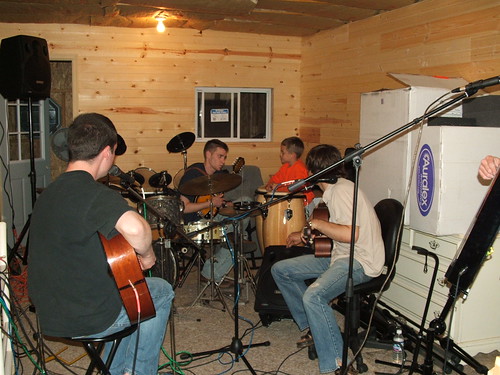
After seven years of losing your hair, and losing weight, and blood tests, and IVs, and hospital food, and vomiting, and insomnia, and fear, and pain, and coughing, I hope you have finally found some peace, James. Here are some of the old band photos -- in them, you look happy and strong, the way I will remember you.